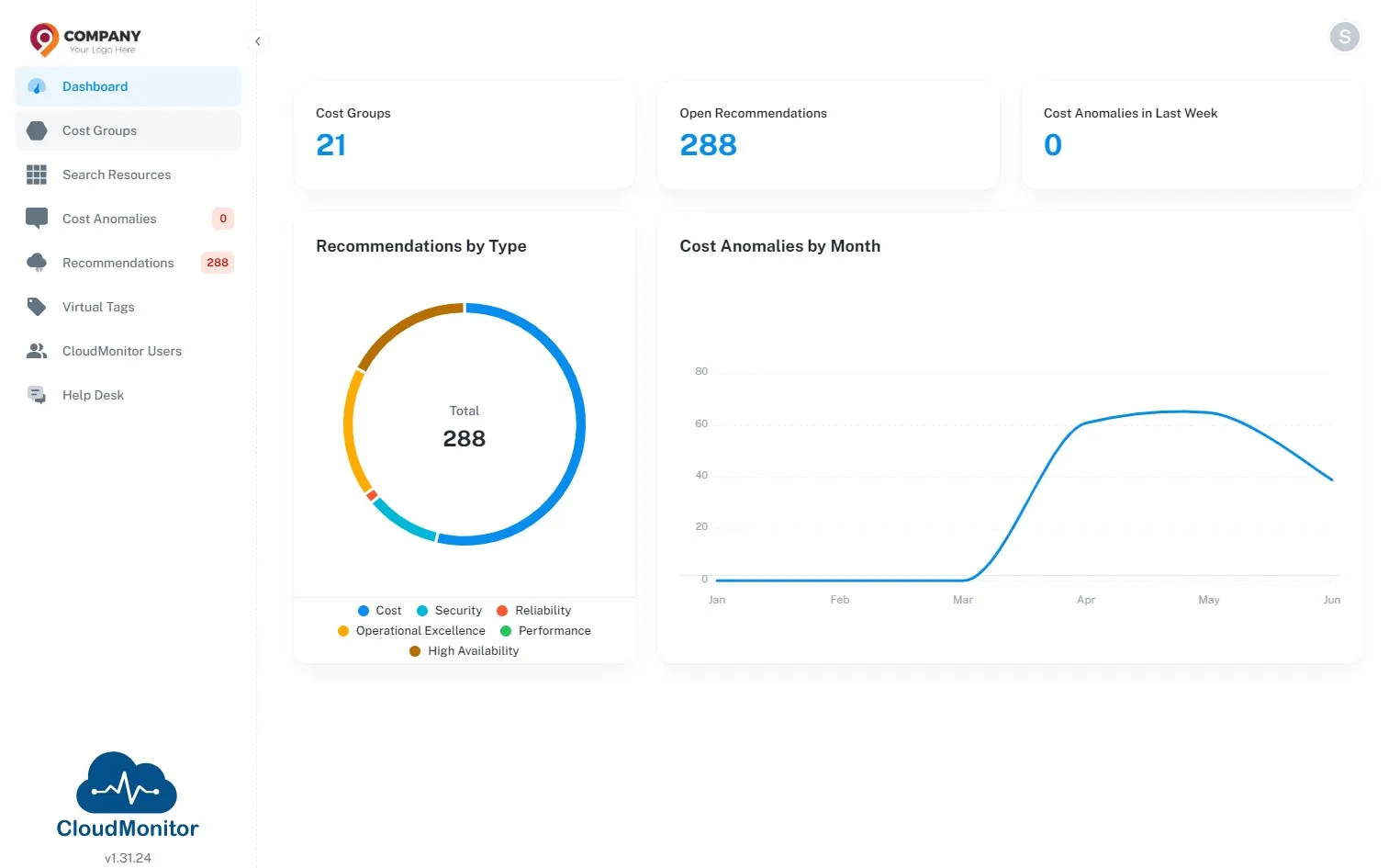
A Program Manager wants to be alerted if they are forecasted to exceed their monthly budget
Step 1
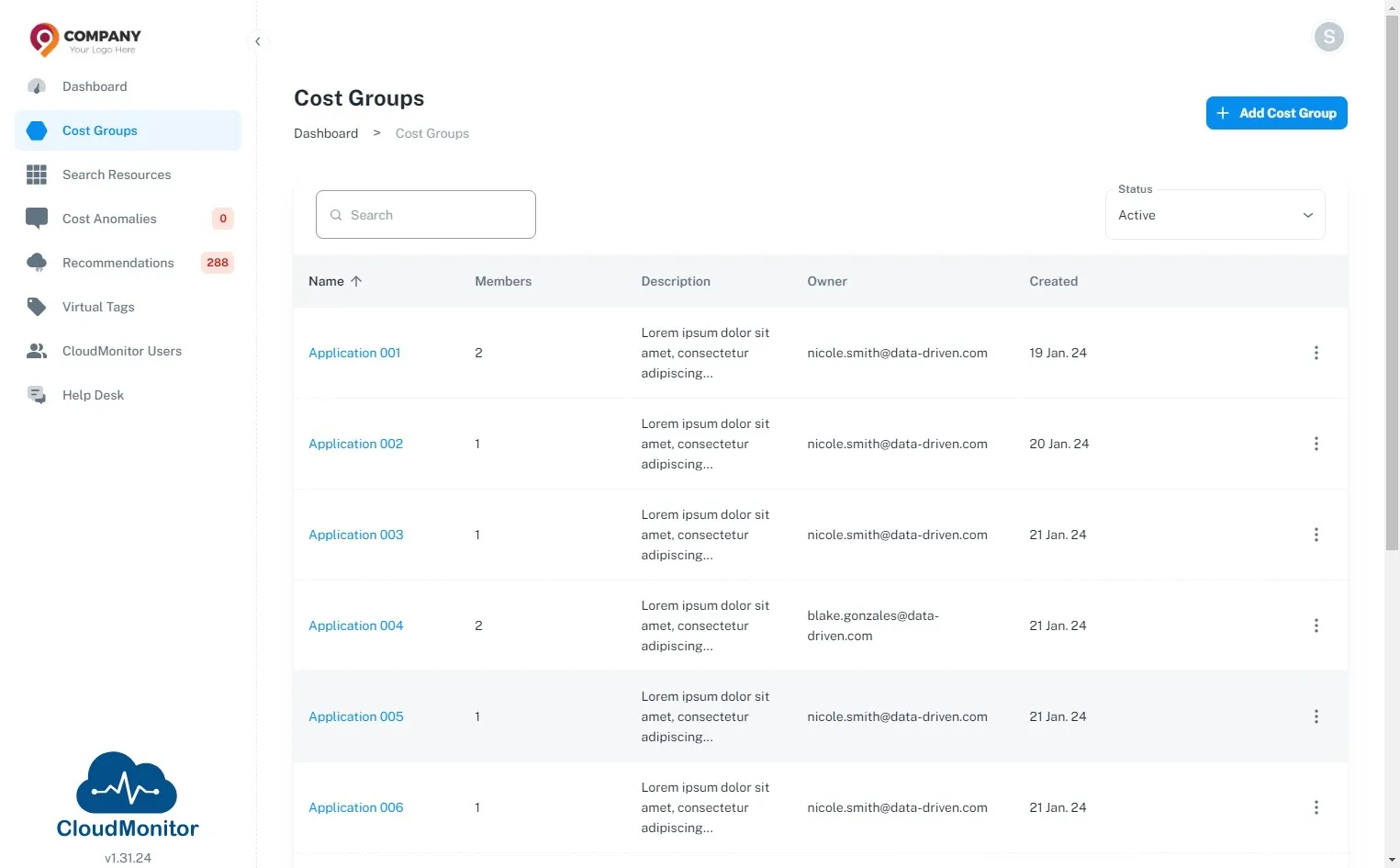
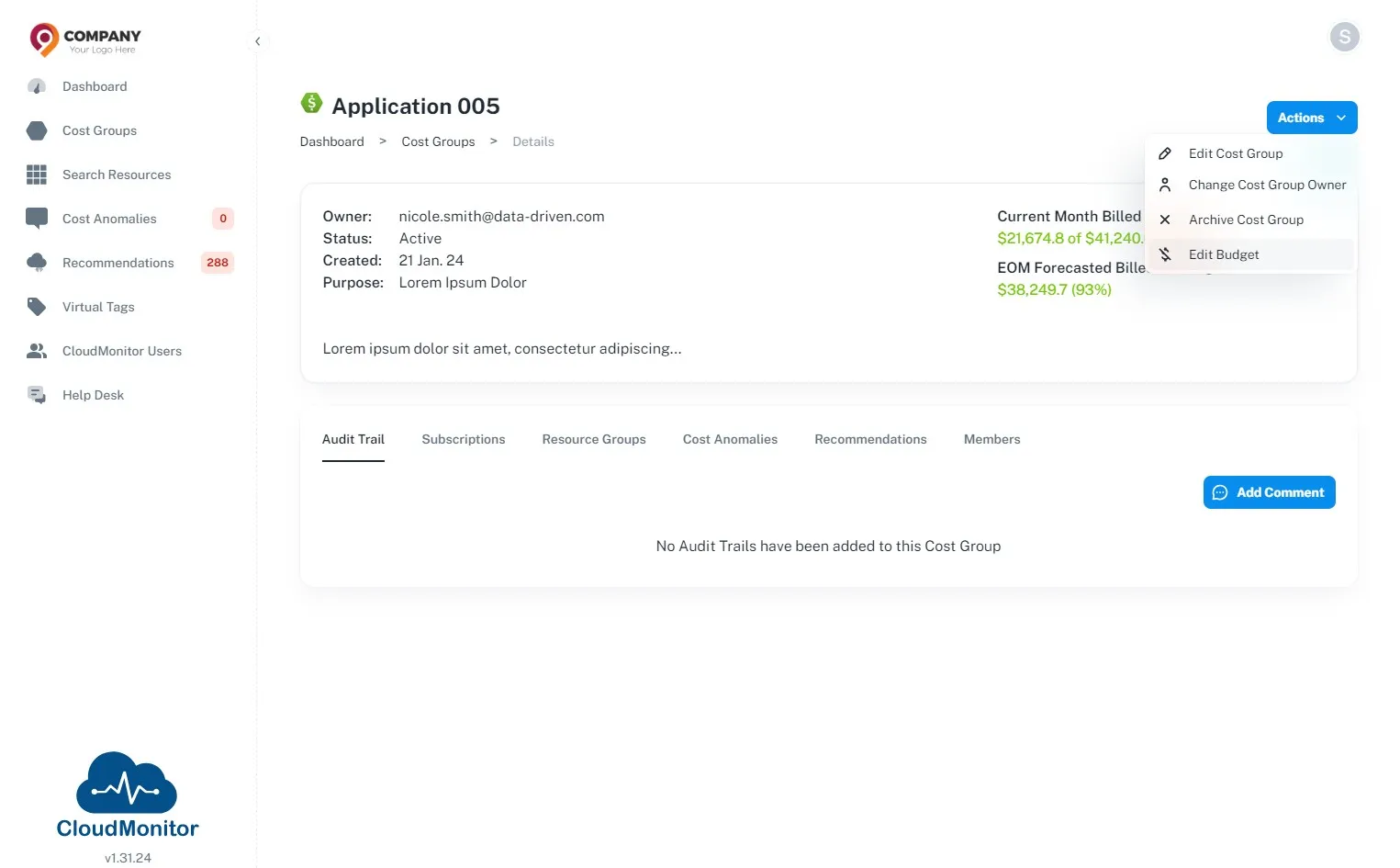
Section titled “Step 1”Navigate to Admin App and click “Cost Groups”.
Step 2
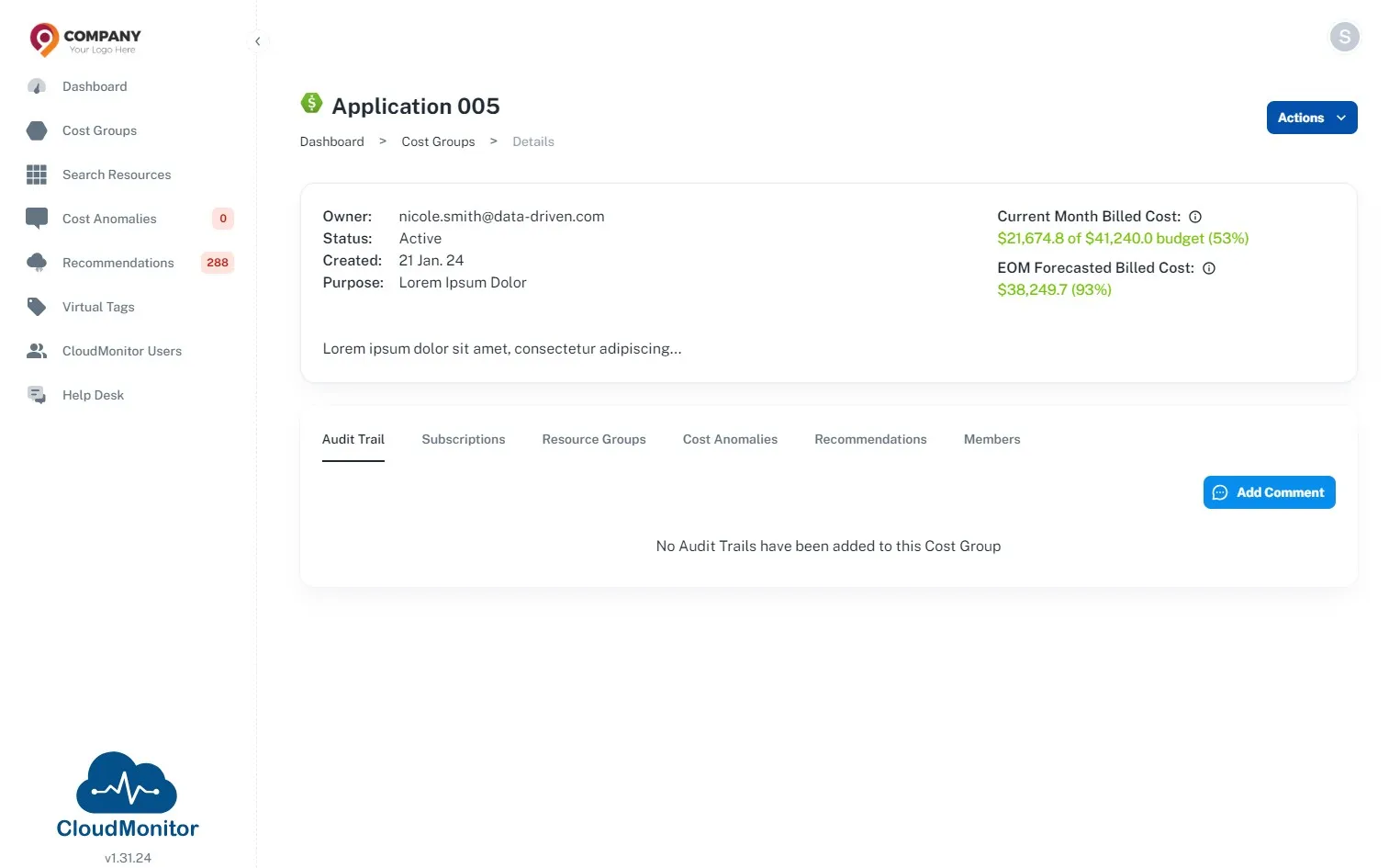
Section titled “Step 2”Select the Cost Group of specific Project/Program
Step 3
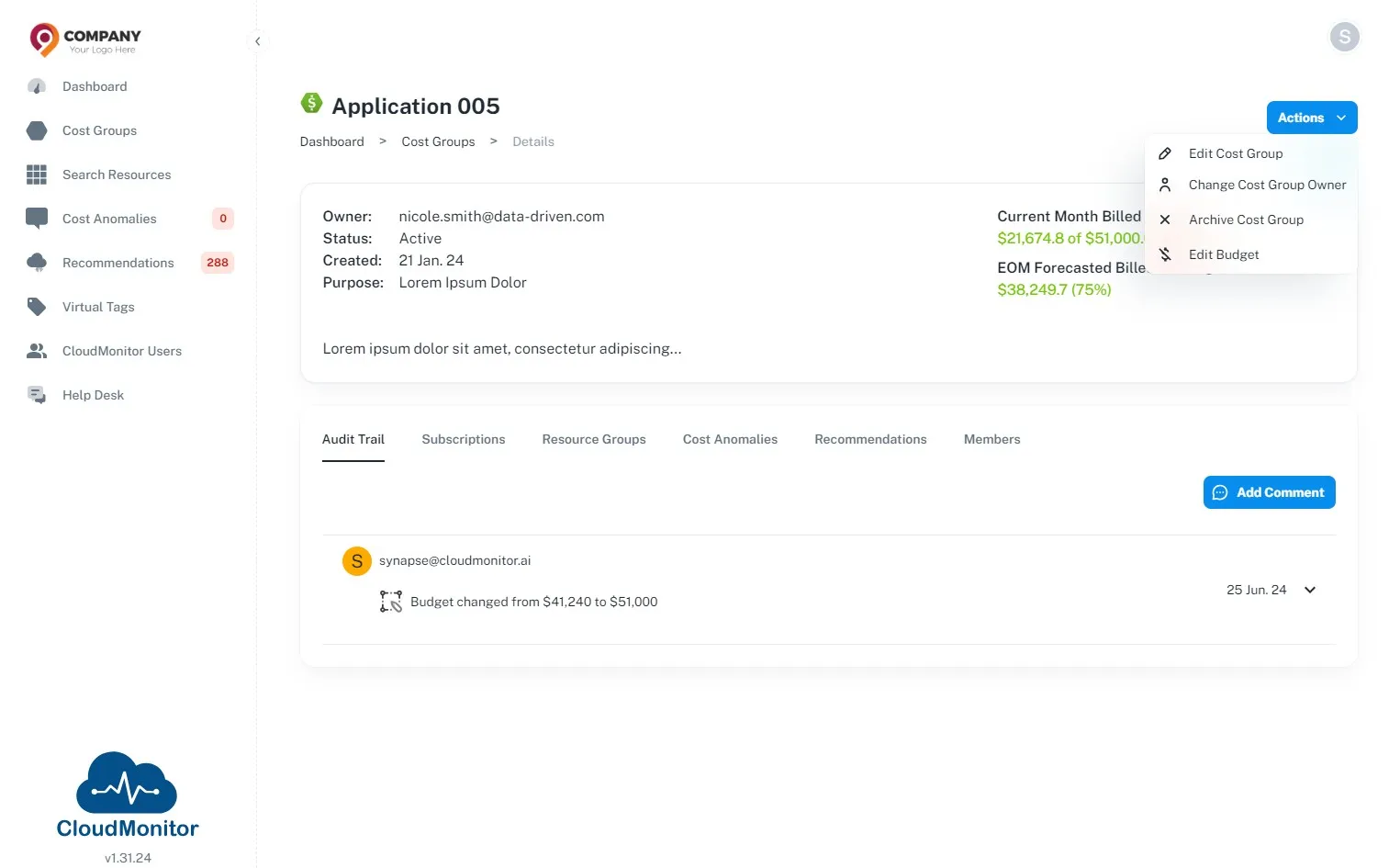
Section titled “Step 3”Click “Actions”
Step 4
Section titled “Step 4”Click “Edit Budget”
Step 5
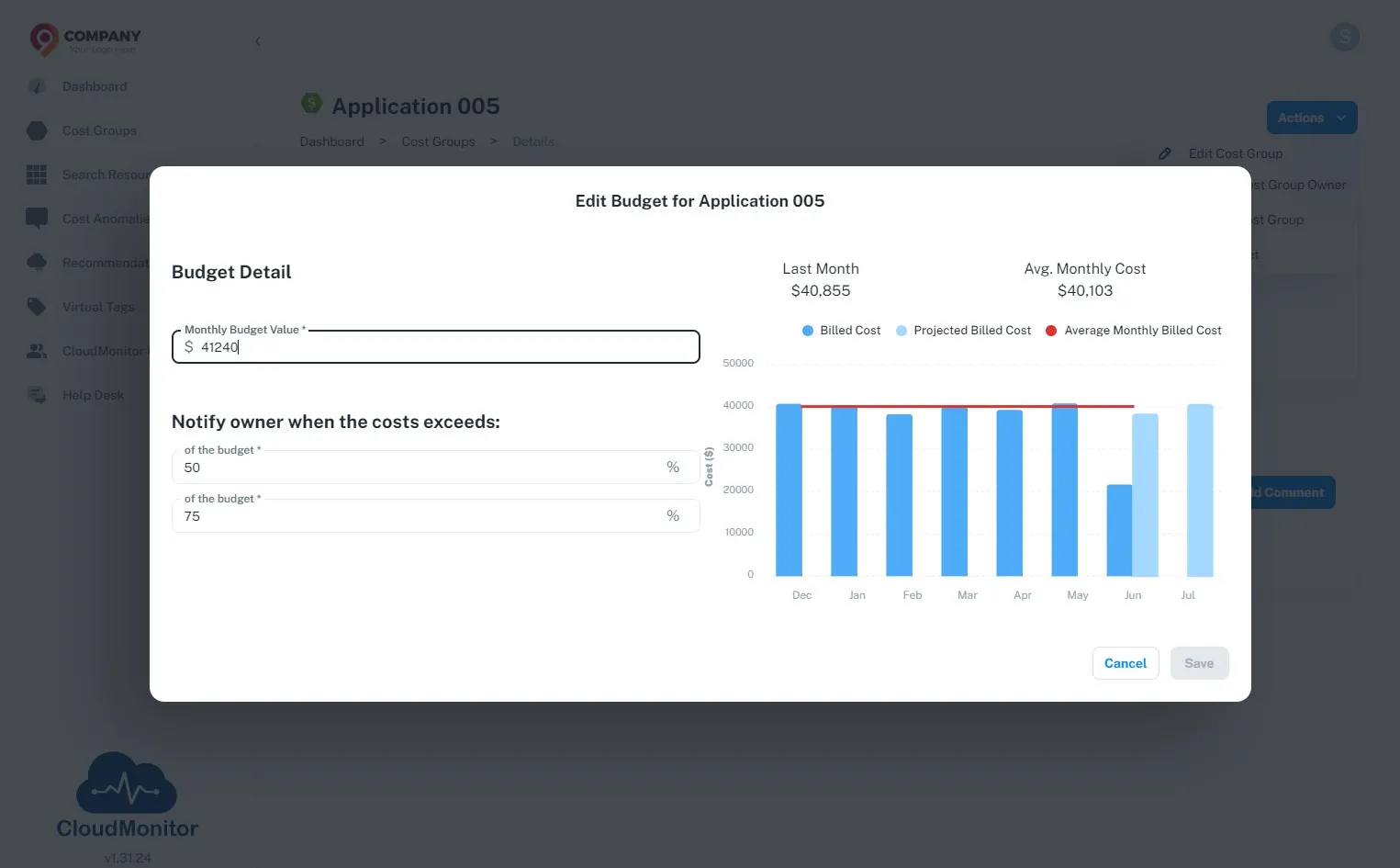
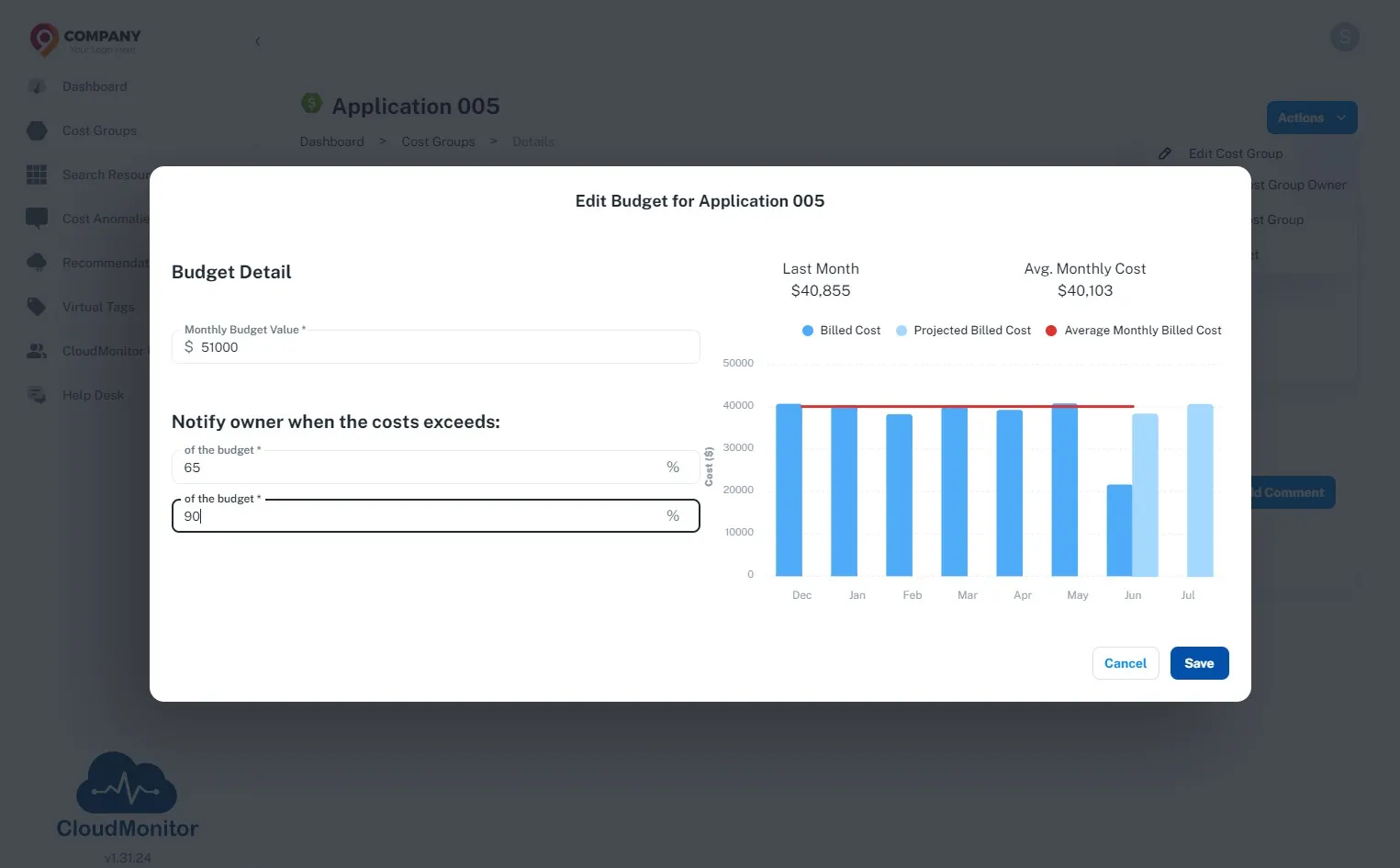
Section titled “Step 5”Enter the updated budget amount.
CloudMonitor automatically calculates the average monthly costs for your reference.
Step 6
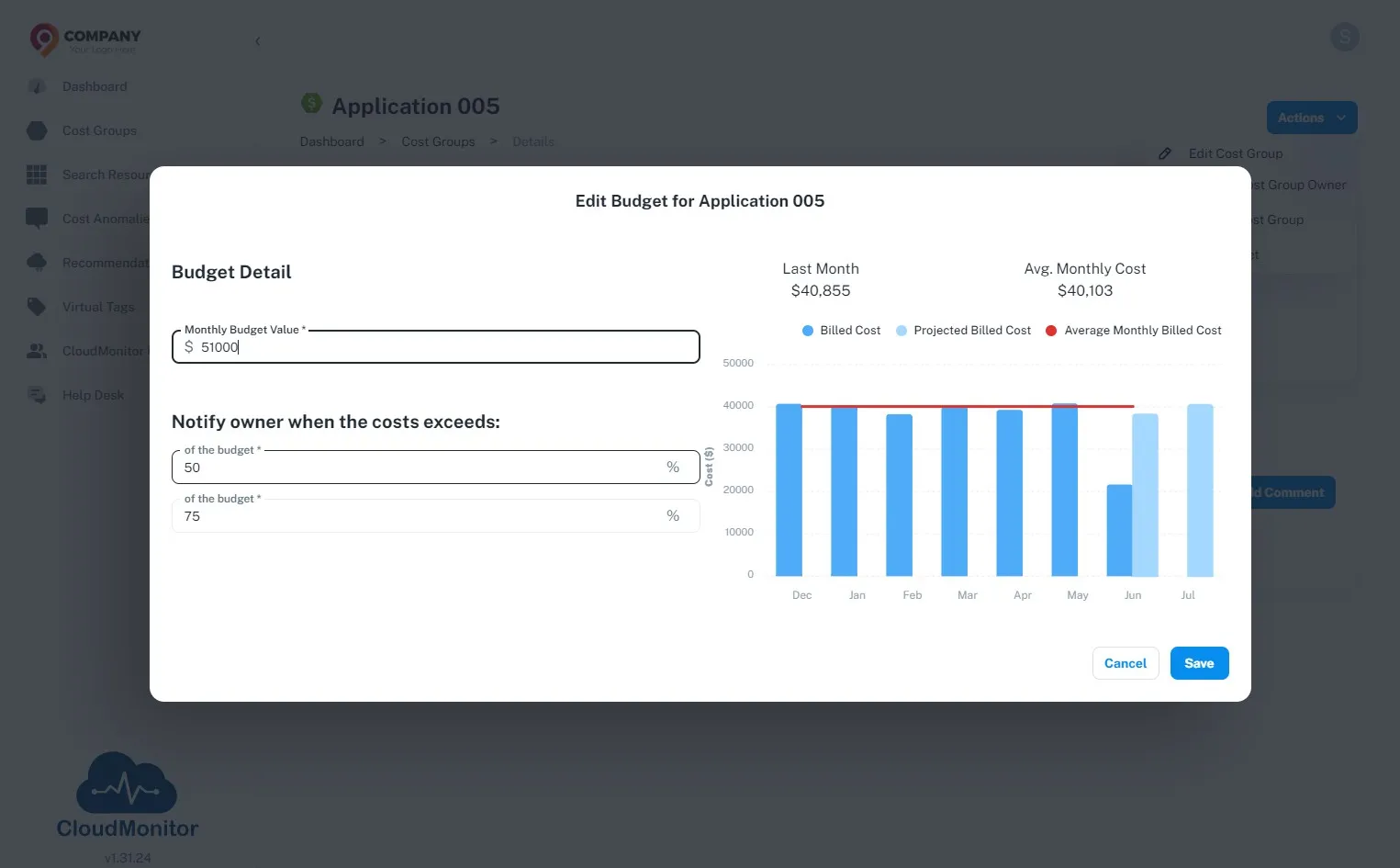
Section titled “Step 6”Enter the initial threshold value which you will be notified when it is exceeded.
Step 7
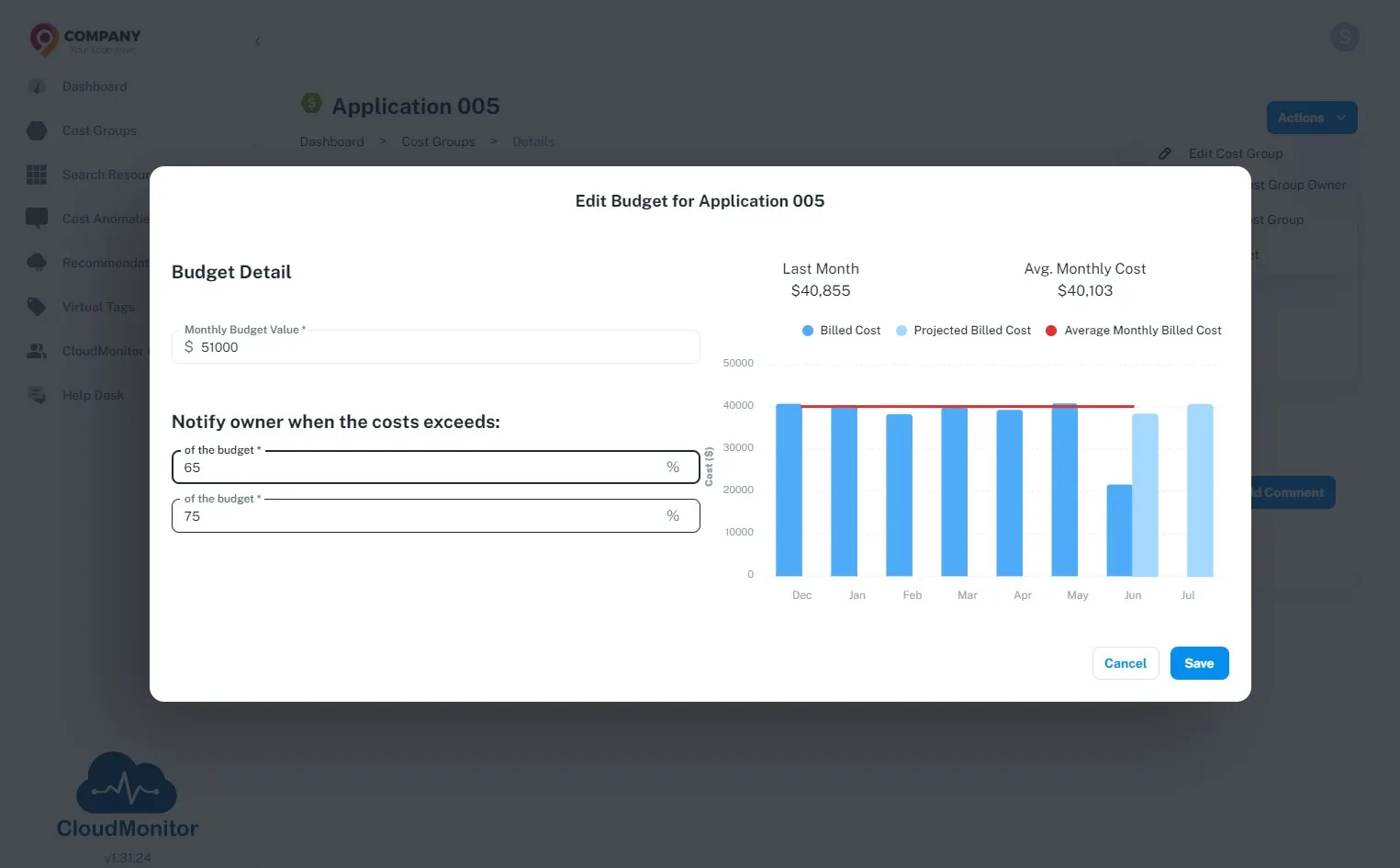
Section titled “Step 7”Enter the final threshold value which you will be notified when it is exceeded.
Step 8
Section titled “Step 8”Click “Save”
Step 9
Section titled “Step 9”It’s logged in the audit trail. CloudMonitor monitors usage against the budget, alerting the customer if it is projected to exceed.