Enable CloudMonitor to retrieve Billing Data at Subscription Scope
CloudMonitor consists of two main versions that can be used in specific use cases:
- CloudMonitor Full Version - This version extracts cost data from the Billing Scope of the Tenancy.
- CloudMonitor Subscription Scope Version - This version extracts cost data from the Subscription Scope. Customers can choose multiple Subscriptions that need to be monitored.
In instances where the customer does not have the Billing Scope details to provide access to CloudMonitor, we suggest using the Subscription scope version of CloudMonitor. In the full version of CloudMonitor, it exports the cloud costs from the Billing Scope, but in the Subscription Scope version, costs are exported from the Subscription Scope. This version is used when the customer does not have Billing Scope access; it is the CSP or MSP that has the Billing Scope access. We always suggest customers use the full version, which exports costs from the Billing Scope since there are a few disadvantages when retrieving costs from the Subscription Scope.
Subscription Scope Version disadvantages include:
- Lack of Holistic View:
- While Subscription Scope cost exports offer detailed insights, they may lack a holistic view of spending across the entire organization. This can make it challenging to identify broader cost optimization opportunities and trends that span multiple Subscriptions.
- Lack of Billing Scope purchase data:
- Azure Marketplace purchases and other purchases/payments done at the Billing Scope will not be visualized in the reports.
- Lack of Reservations Data:
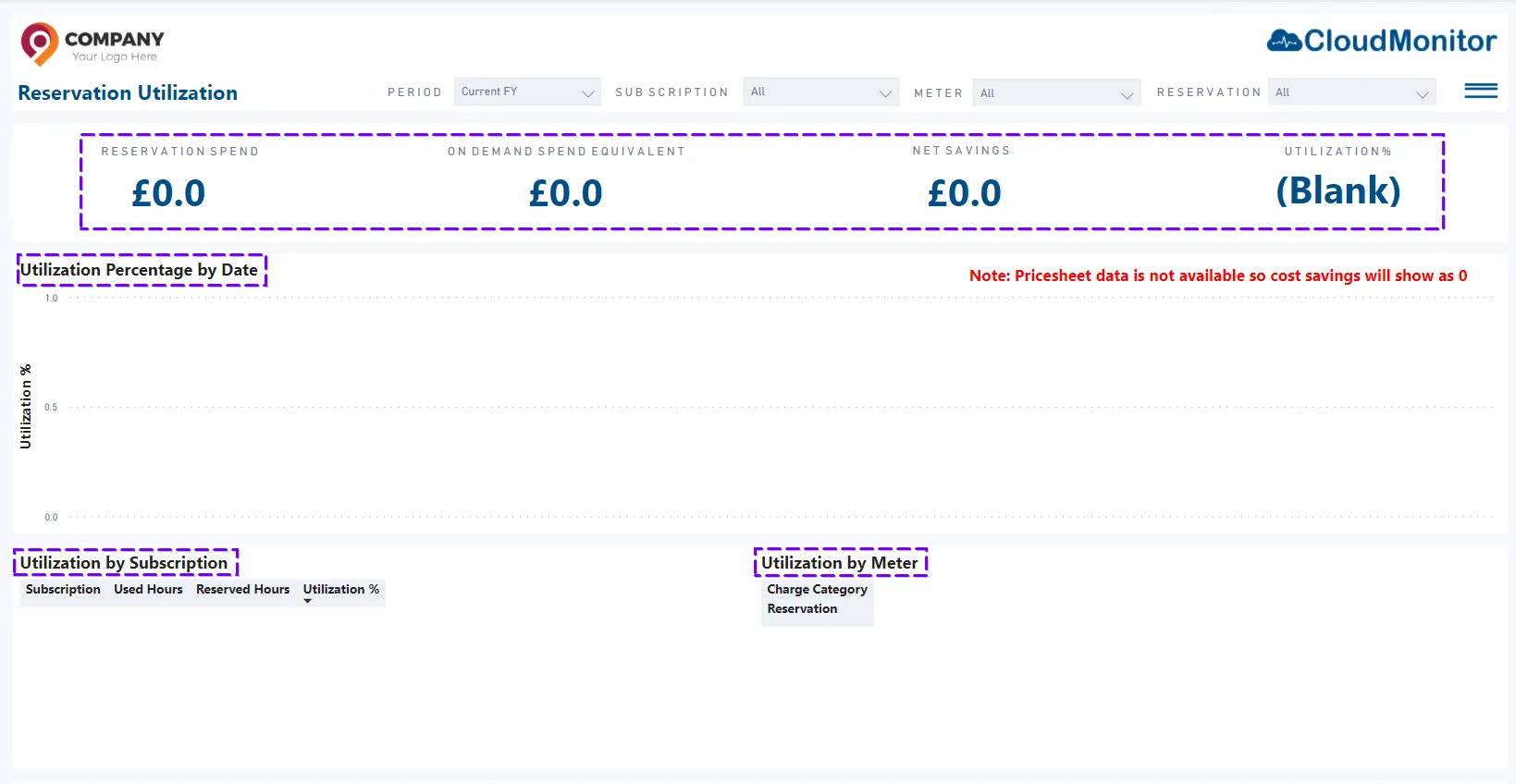
- CloudMonitor will not be able to visualize the summary of your Reservations and will not be able to calculate and visualize the net savings which incurred through Reservations along with utilization of Reservations (Please see the below screenshot),
- However, CloudMonitor will still be able to visualize the Reservation Orders and Reservation Details with this setup(Please see the below screenshot),


- CloudMonitor will not be able to visualize the summary of your Reservations and will not be able to calculate and visualize the net savings which incurred through Reservations along with utilization of Reservations (Please see the below screenshot),
- Lack of M65 License Data
- CloudMonitor will not be able to visualize the summary of your M365 Licenses because those purchases are done via the Billing Account. When costs are extracted at the subscription level, this data will not be included.
If you are willing to use the Subscription Scope version, please follow the below steps and confirm with support@cloudmonitor.ai.
Step 1
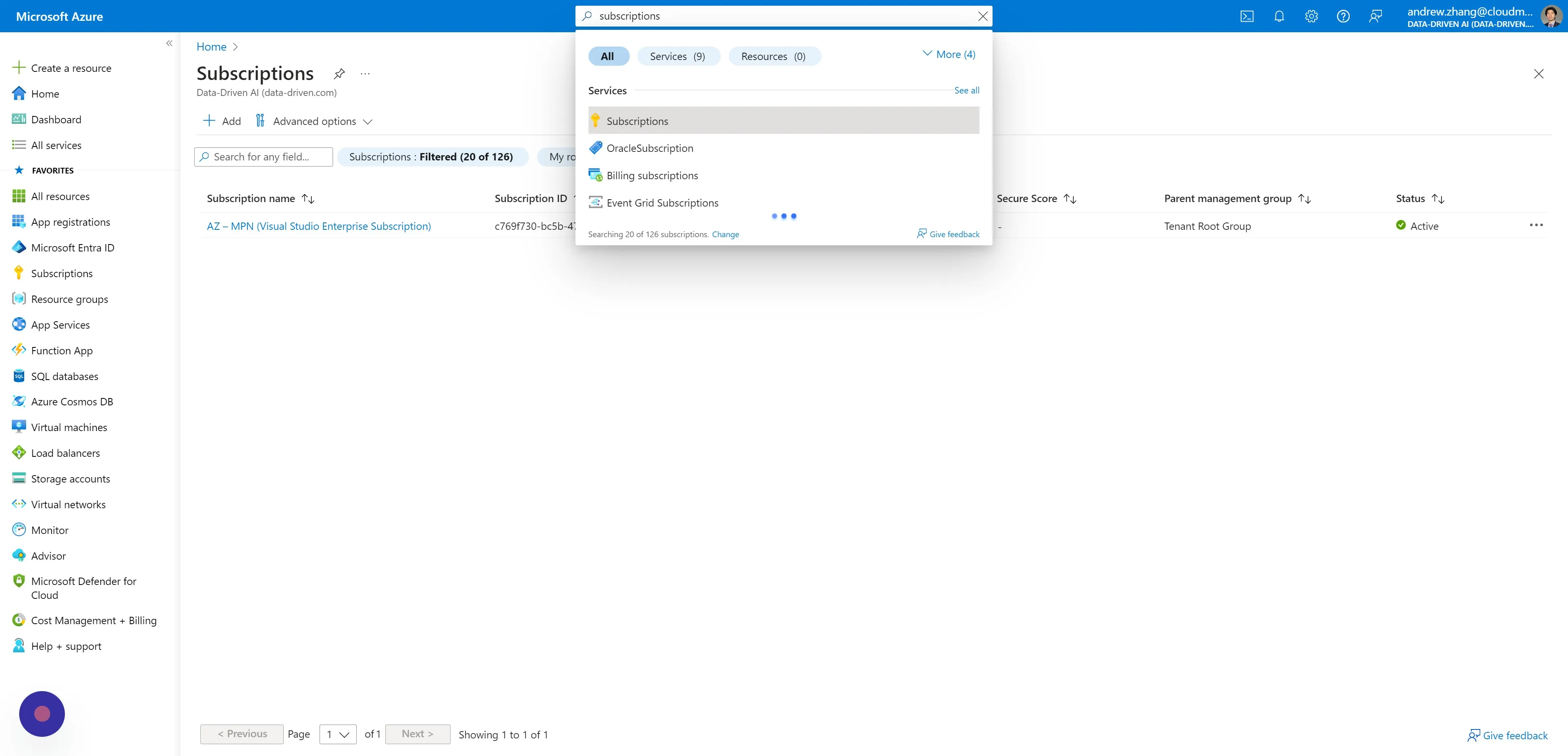
Section titled “Step 1”Navigate to Subscriptions - Microsoft Azure
Step 2
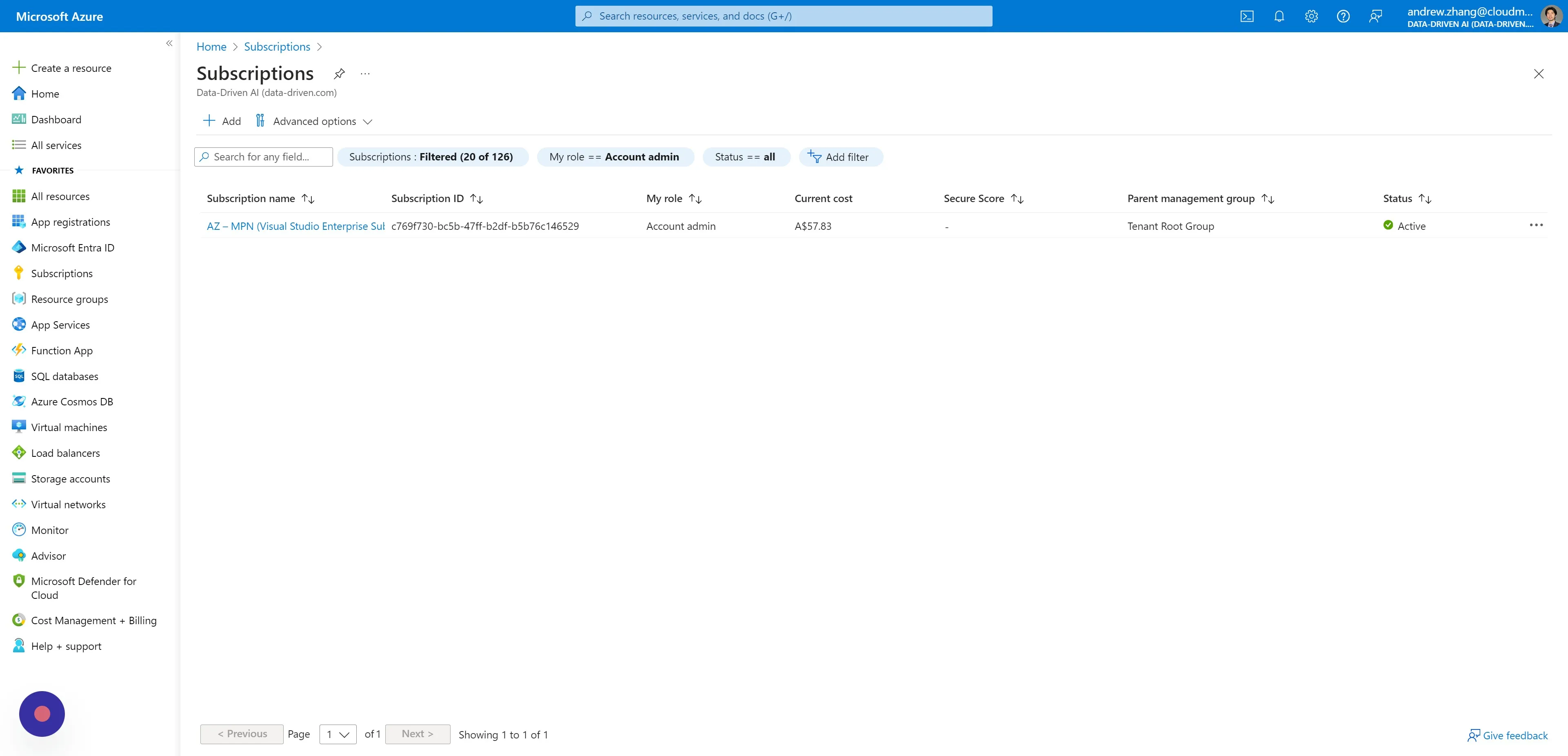
Section titled “Step 2”Click on a Subscription that CloudMonitor is currently observing i.e. your CloudMonitor Service Principal has Reader access.
Step 3
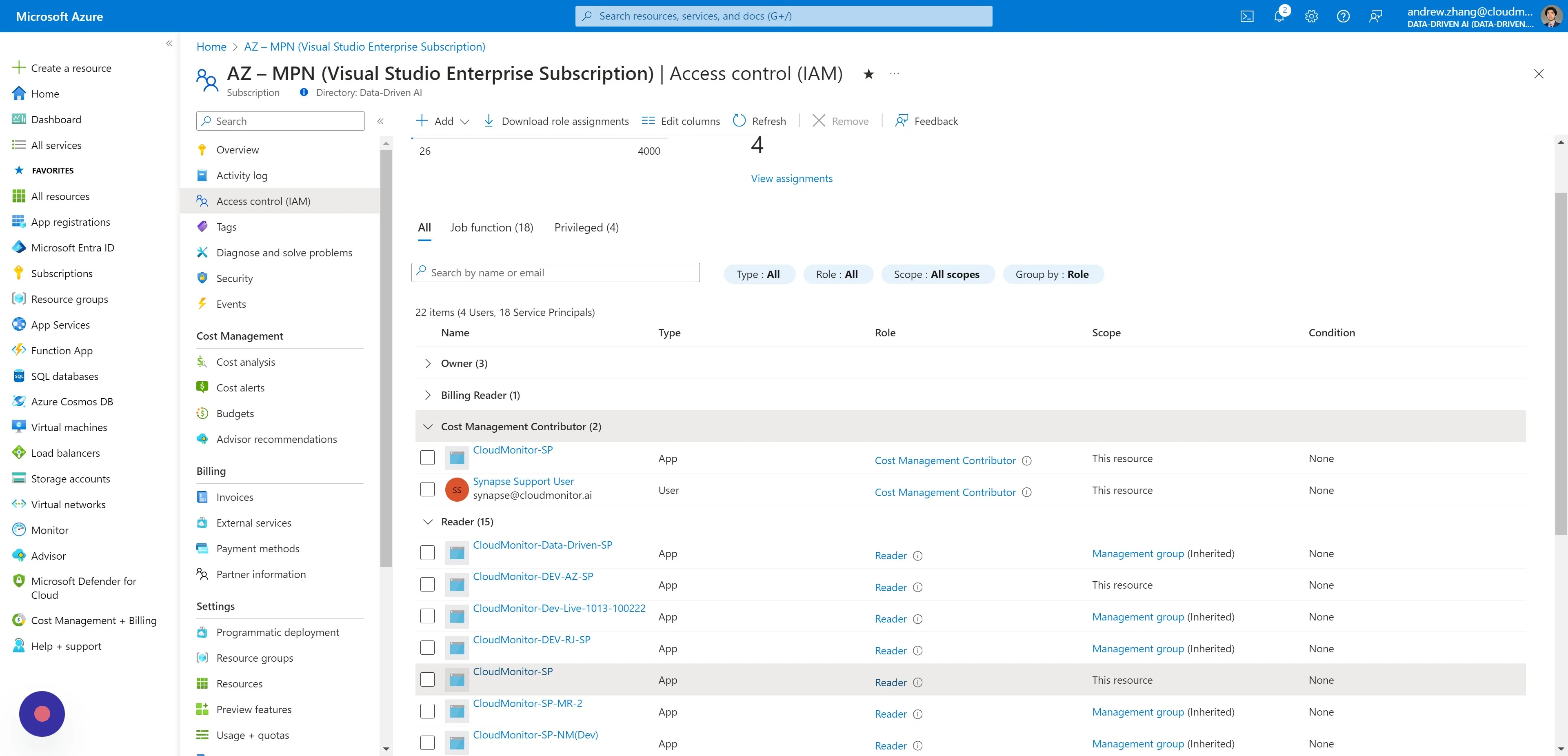
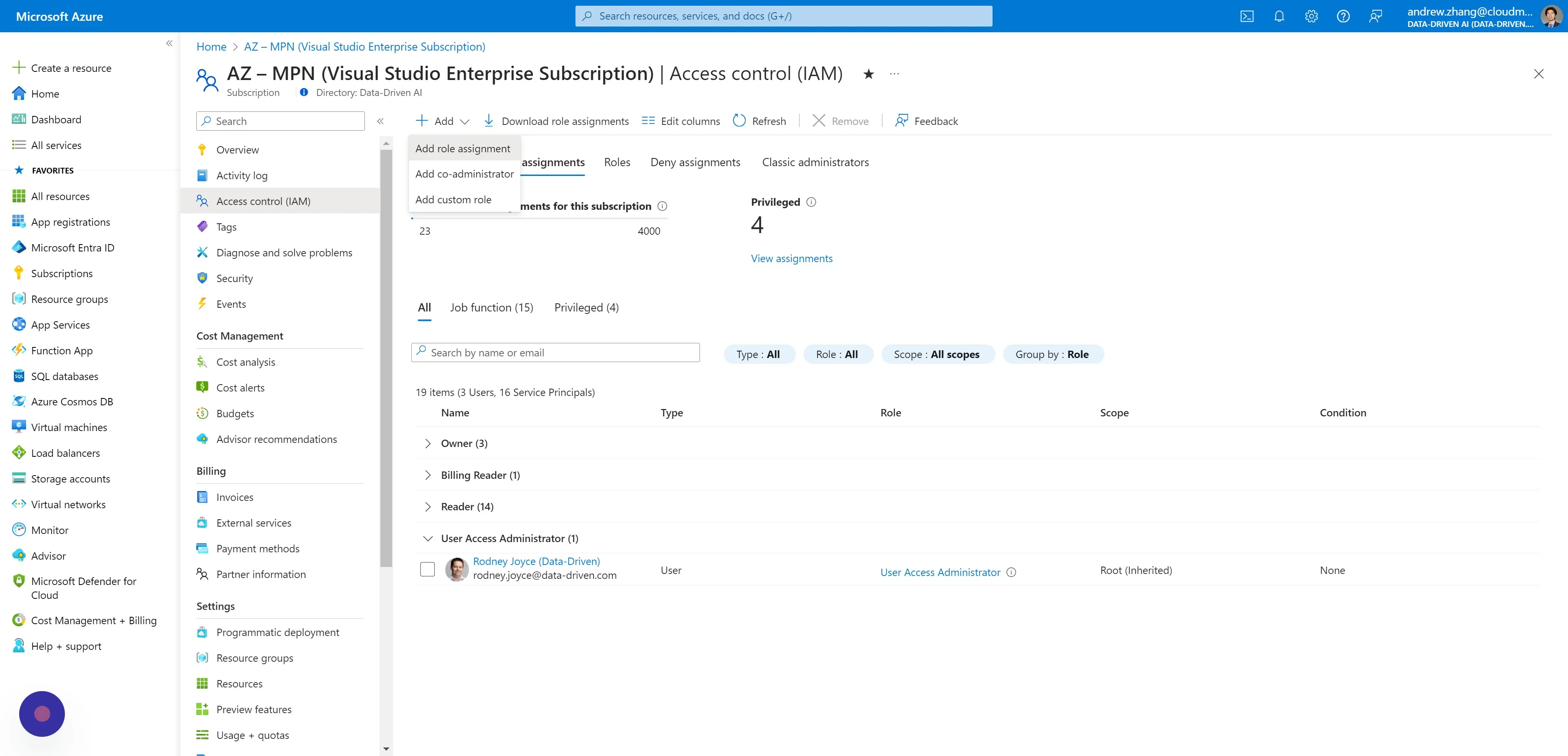
Section titled “Step 3”Navigate to Access Control (IAM) and click “Add > Add role assignment”.
Step 4
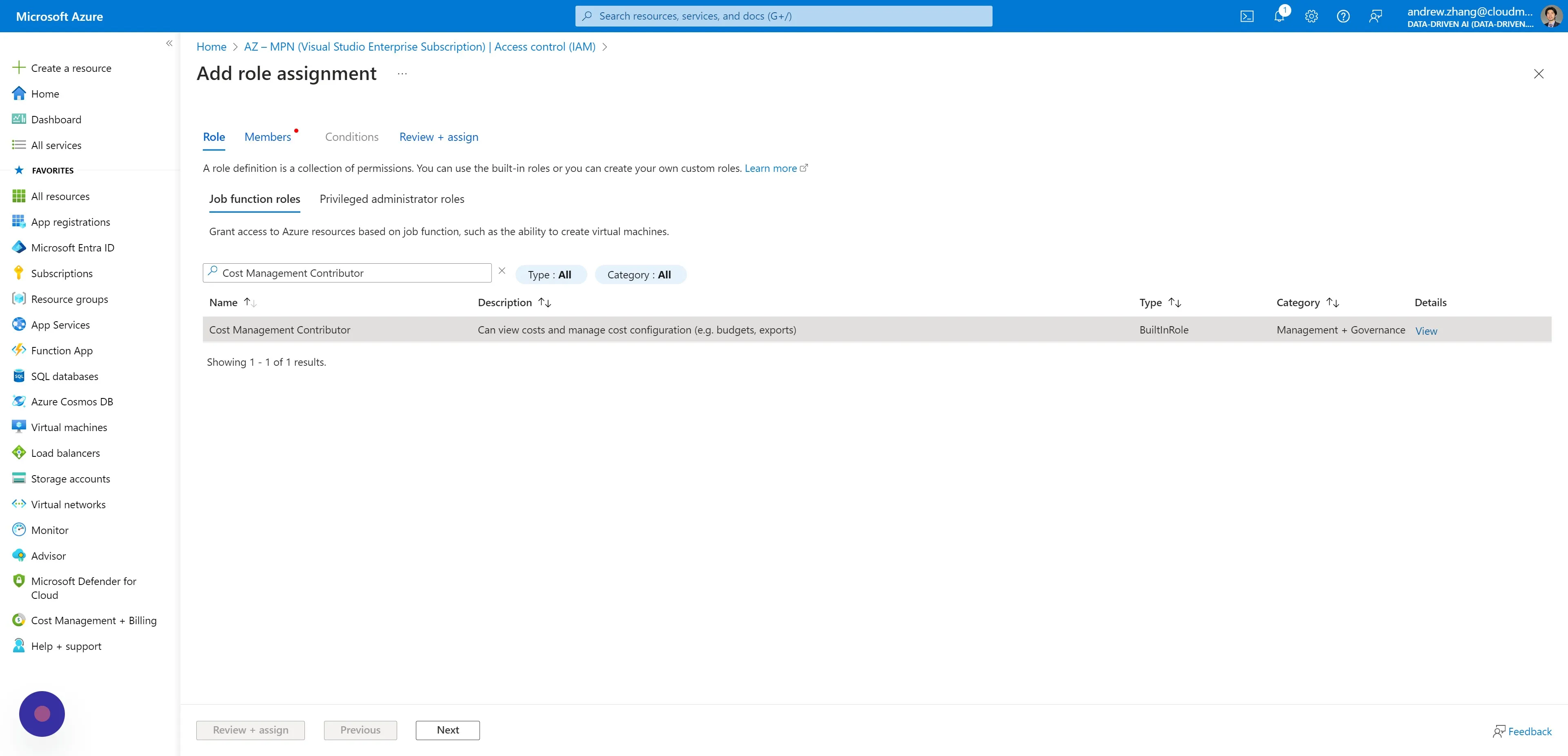
Section titled “Step 4”Under the Roles tab select “Cost Management Contributor” as the Role.
Step 5
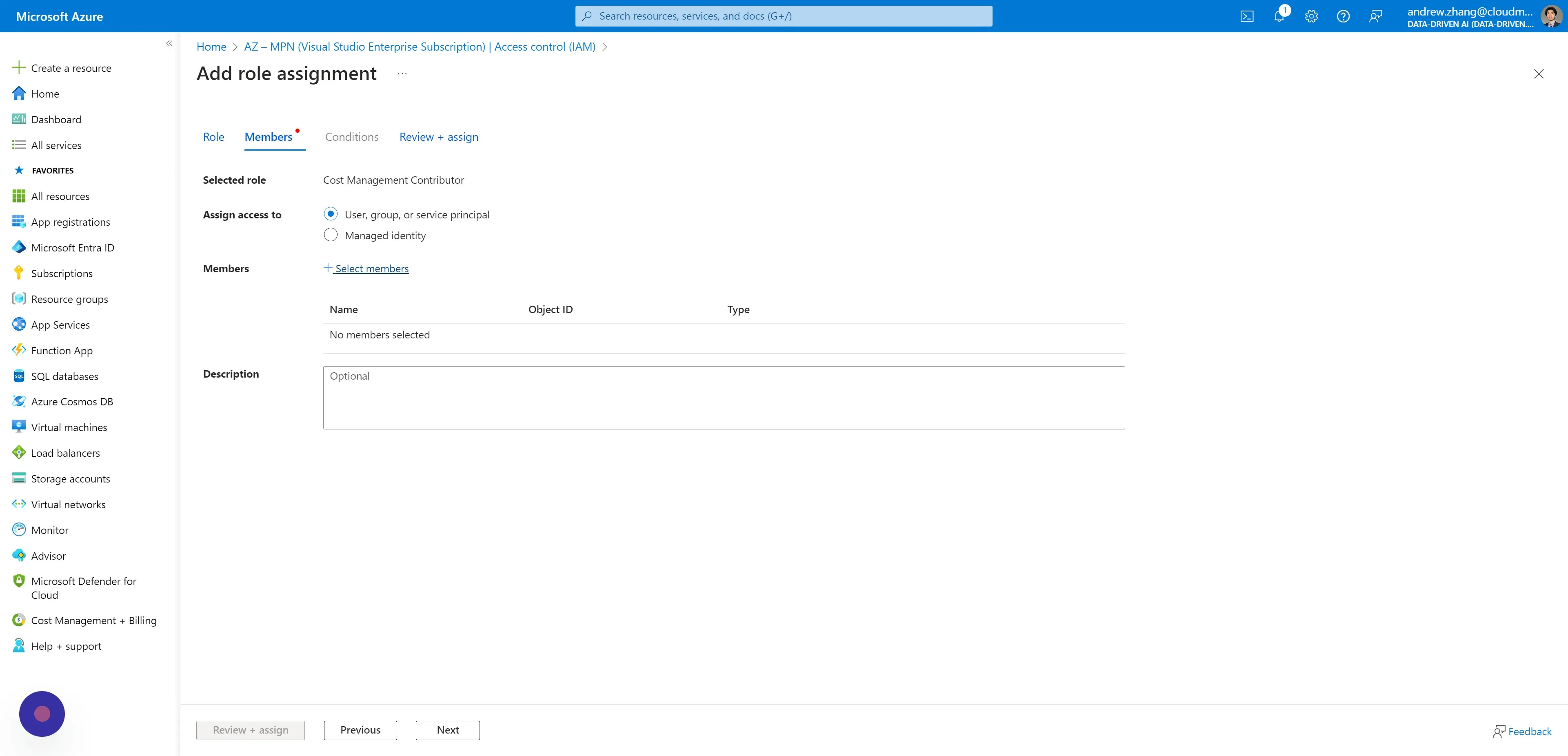
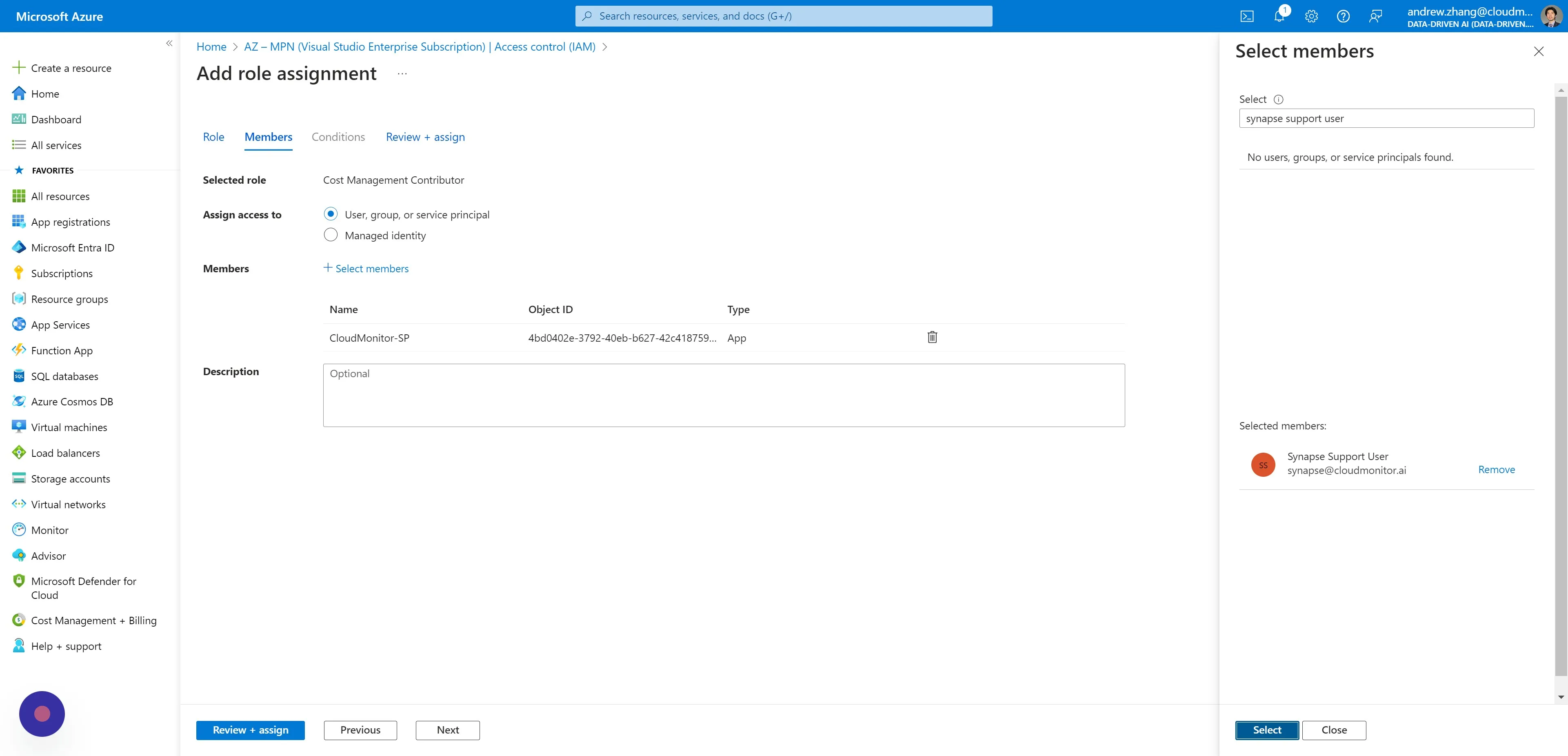
Section titled “Step 5”Switch to the Members tab and click “Select members”.
Step 6
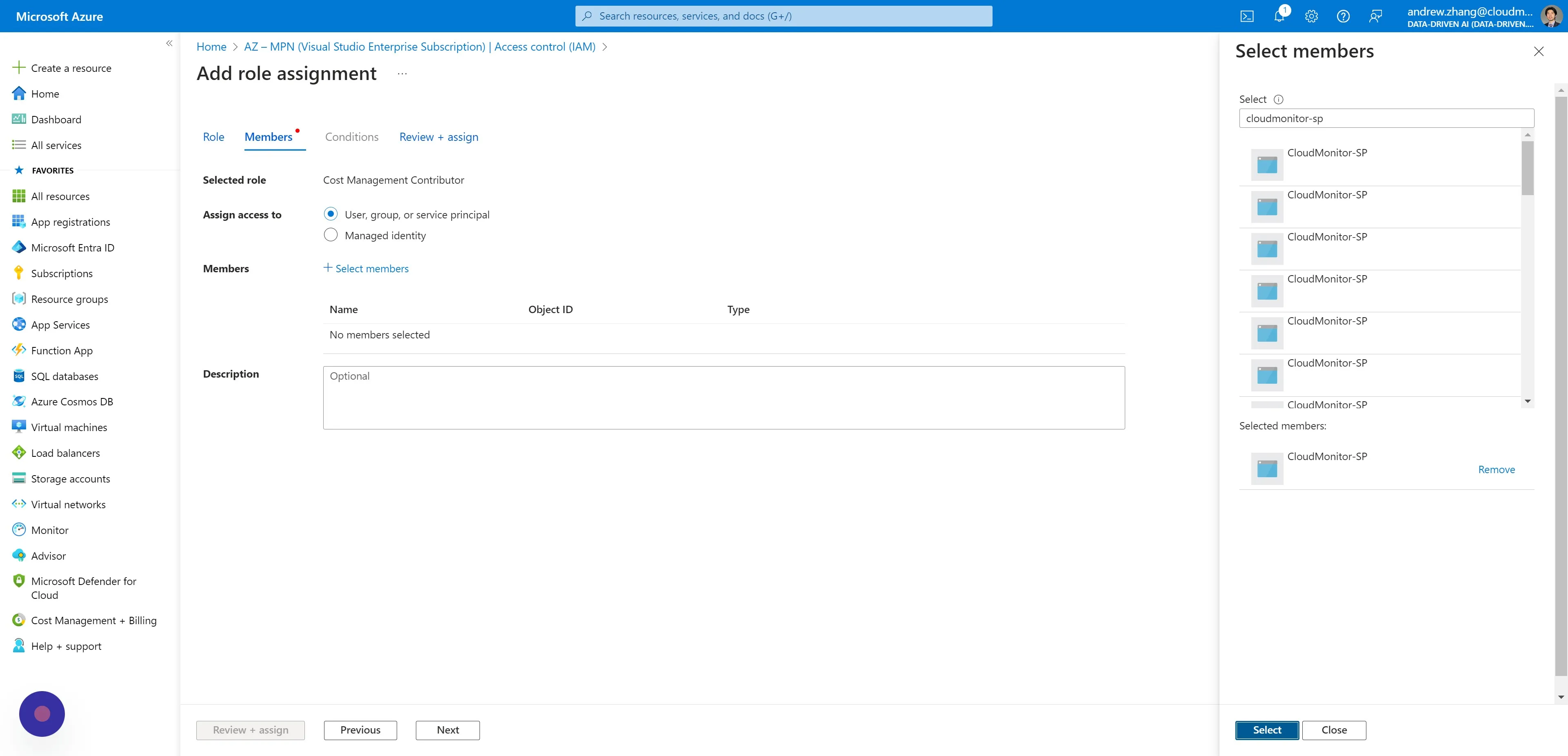
Section titled “Step 6”Search and select your CloudMonitor Service Principal name.
Step 7
Section titled “Step 7”For MCA billing account customers only -
Search and select your CloudMonitor Synapse B2B User.
Step 8
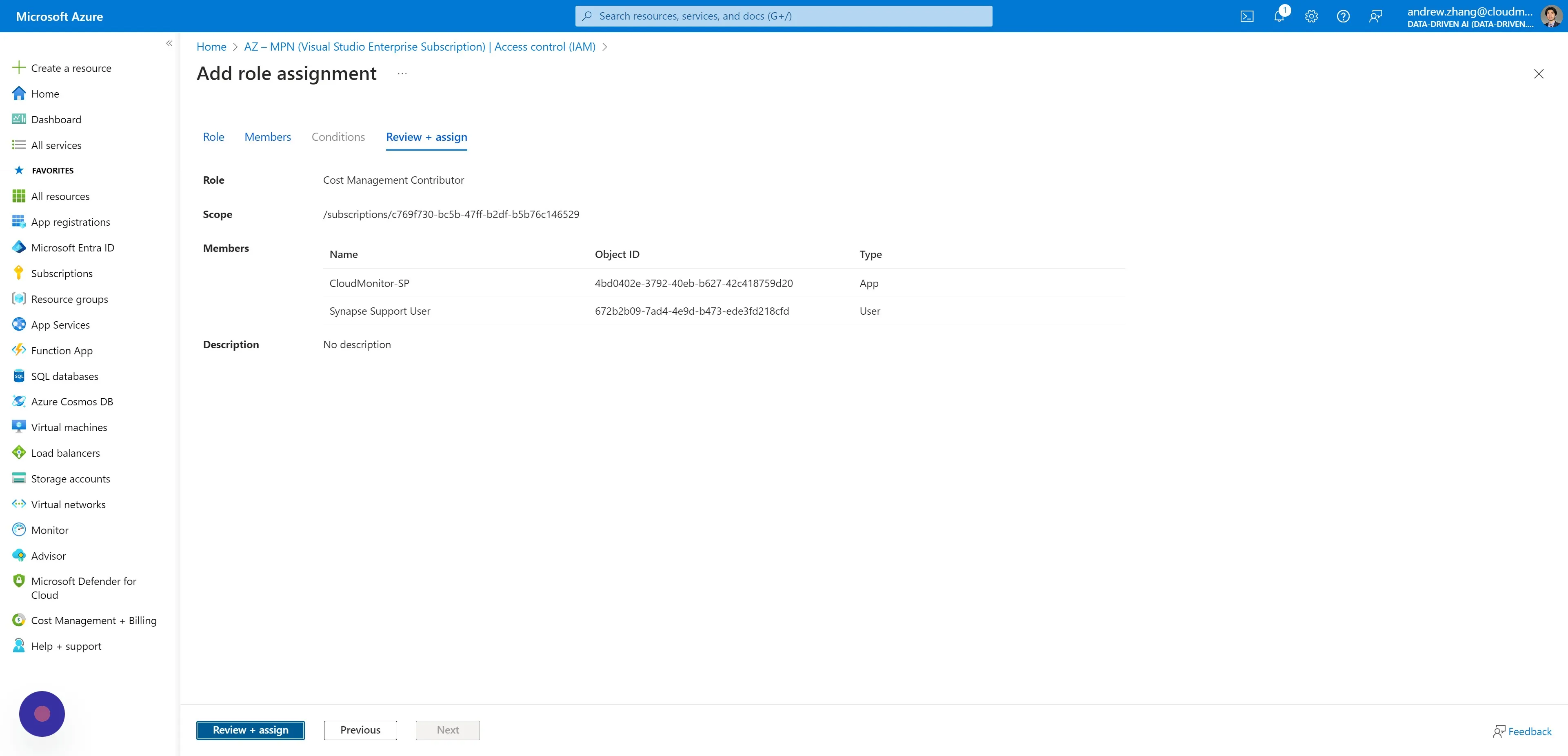
Section titled “Step 8”Switch to the Review + assign tab and “Review + assign”.
Step 9
Section titled “Step 9”CloudMonitor now has the capability to access cost data for this Subscription.
Please repeat this process for any additional Subscriptions that require similar access.