Allow CloudMonitor to access and view Billing Information for Microsoft Customer Agreement customers
Follow these steps to allow CloudMonitor to access and view Billing Information for Microsoft Customer Agreement customers.
Step 1
Section titled “Step 1”Open the Azure Portal.
Step 2
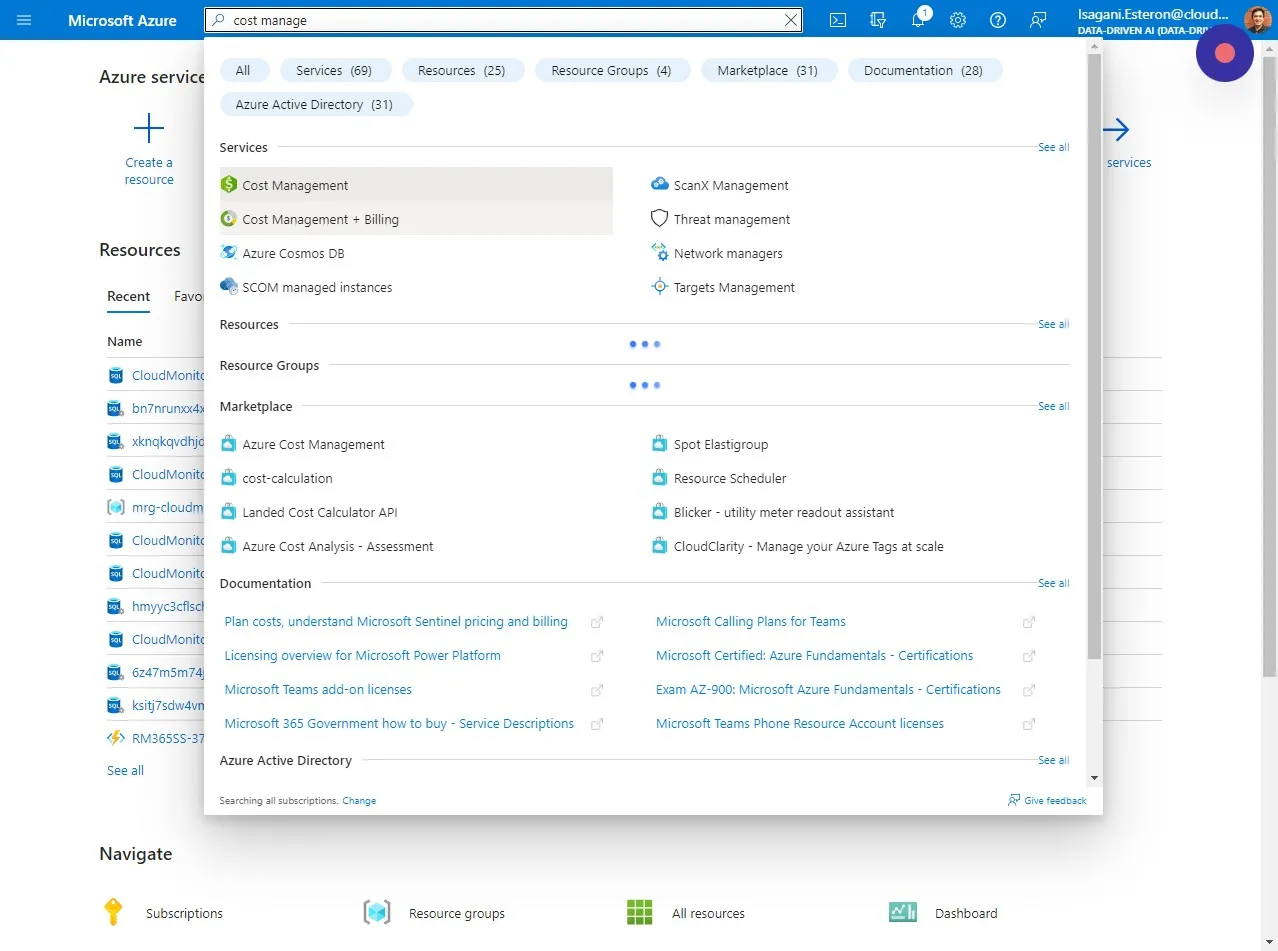
Section titled “Step 2”Open the “Cost Management + Billing” section in the Azure Portal. Note: This is not at the Subscription level and you will need to be a Global Azure Admin to do this.
Step 3
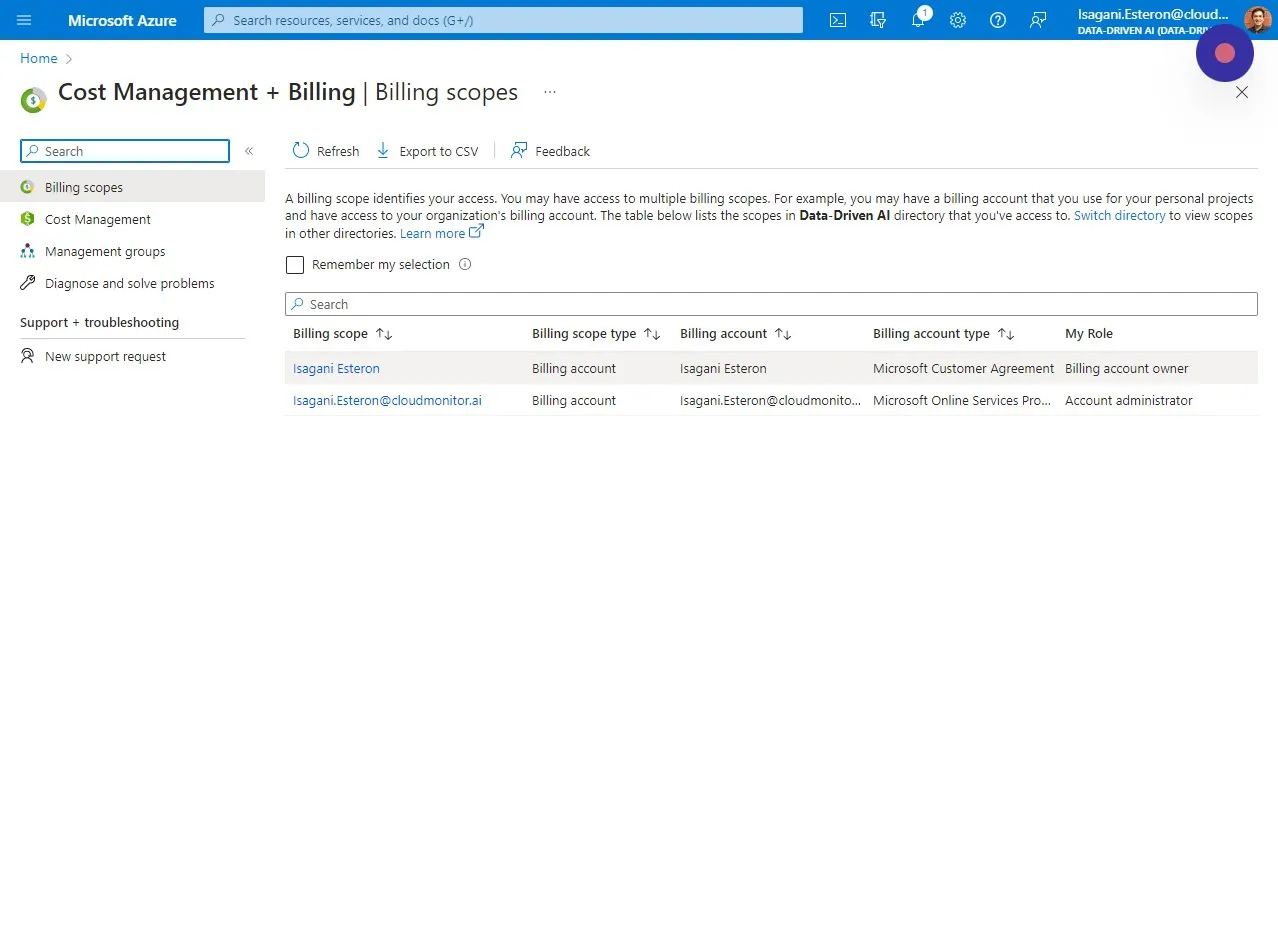
Section titled “Step 3”Select the Billing scope you want to grant a Billing account reader role to.
Step 4
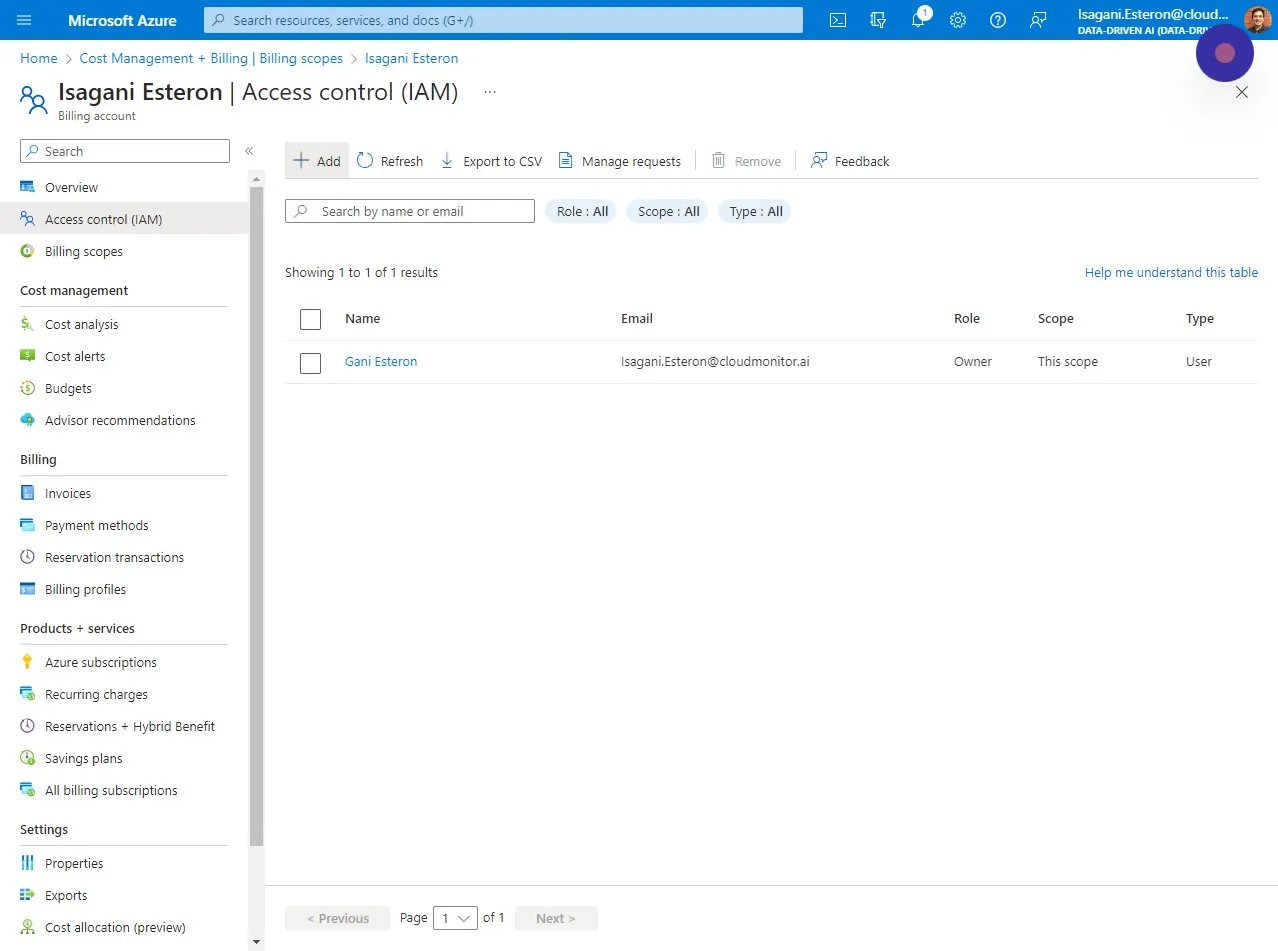
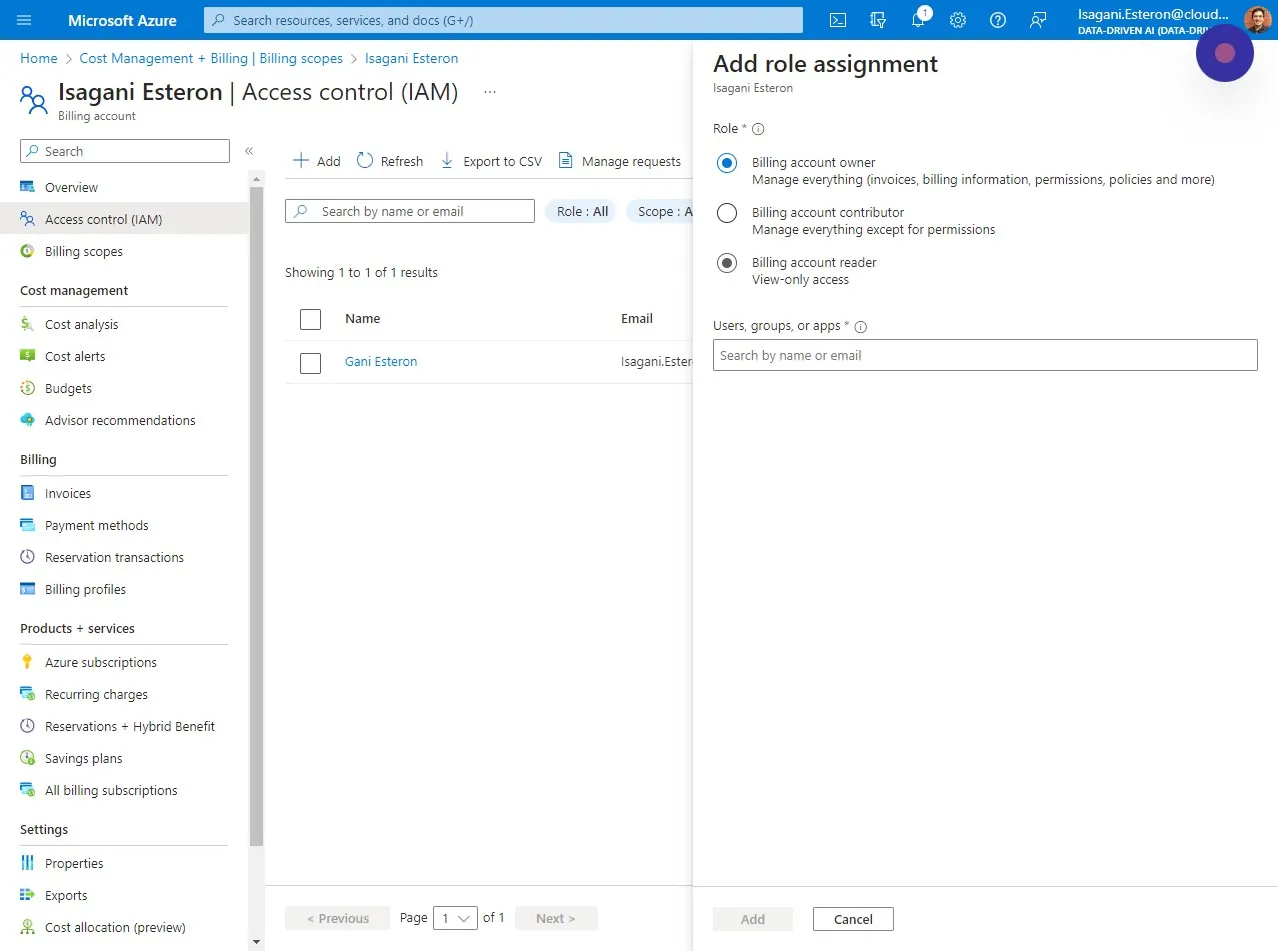
Section titled “Step 4”Click “Access control (IAM)” and click ” + Add”
Step 5
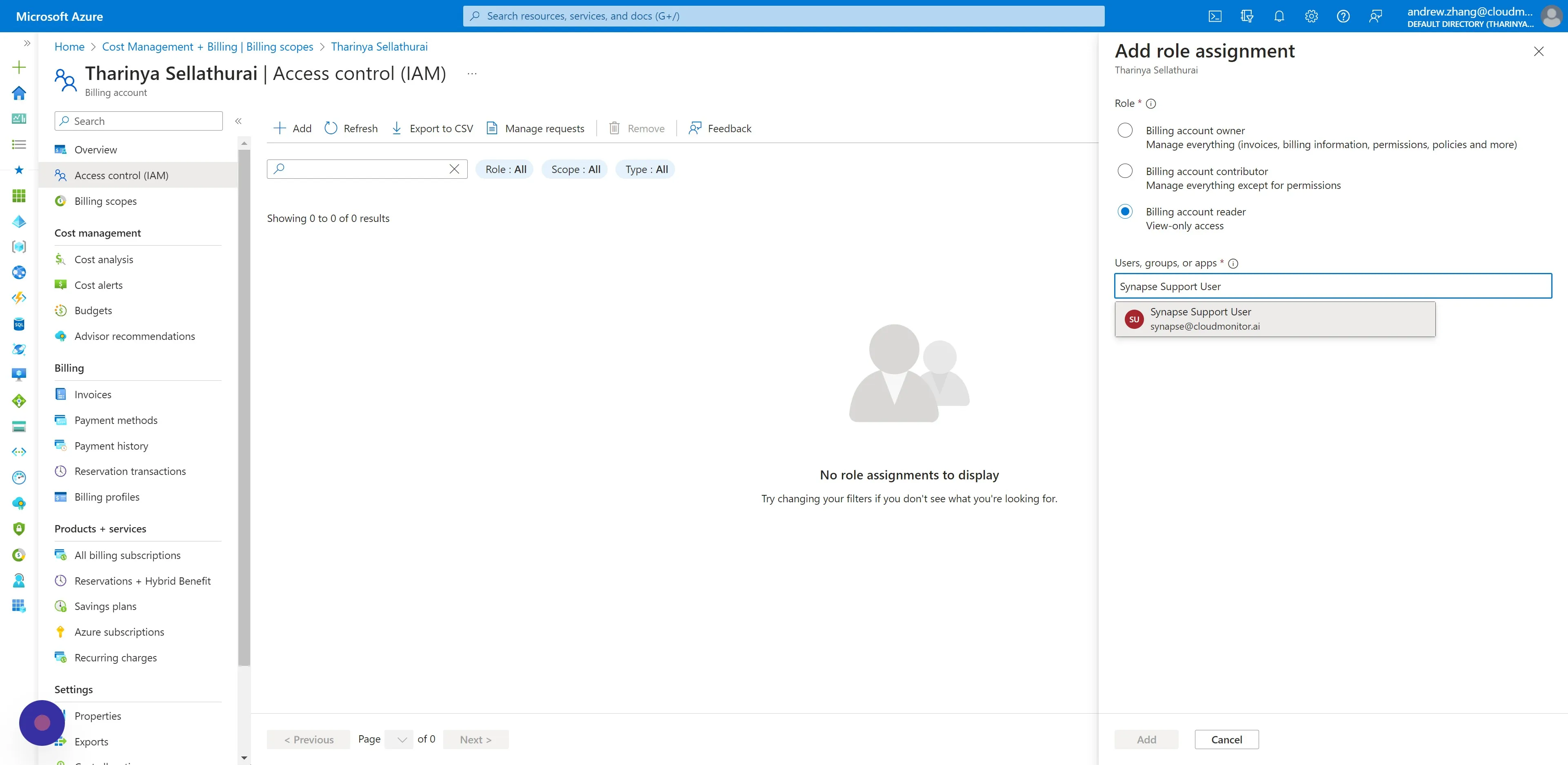
Section titled “Step 5”Choose “Billing account reader”. This does not have any permissions to write any data.
Step 6
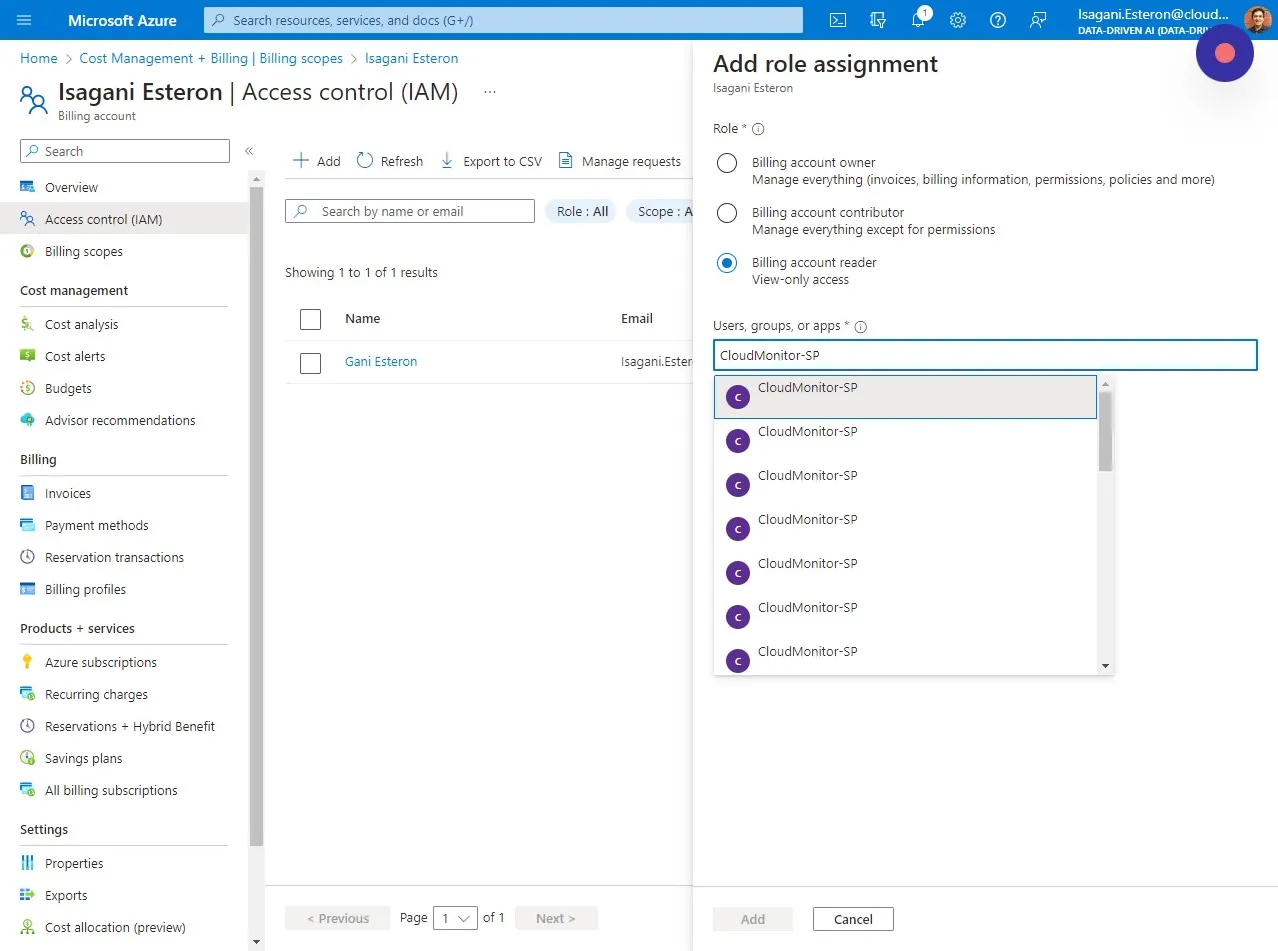
Section titled “Step 6”Select the Service Principal you created for CloudMonitor and click on Add.
Step 7
Section titled “Step 7”Lastly, select the B2B Synapse User you added for CloudMonitor and click on Add.