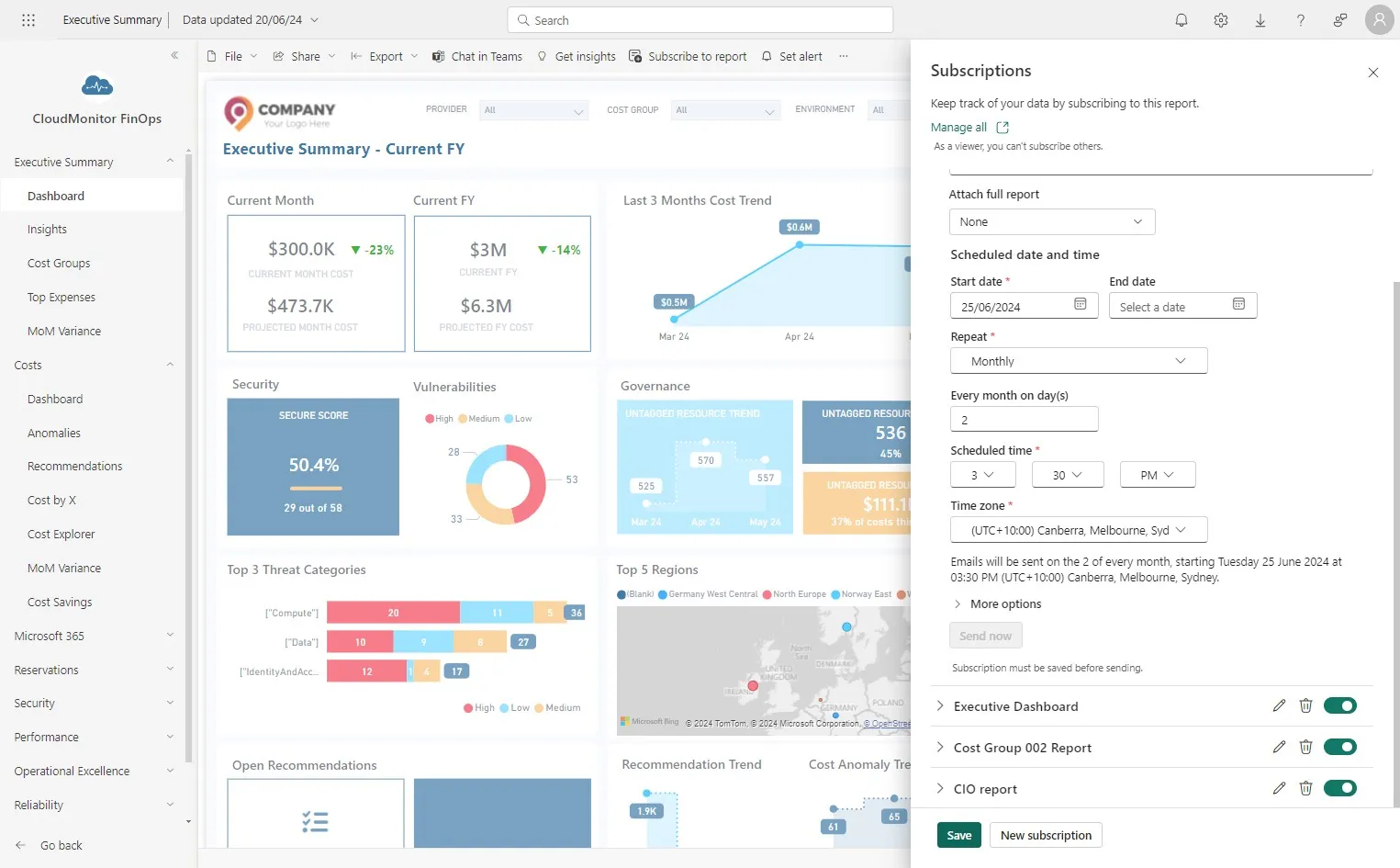
The CIO wants a monthly report to show how cloud costs are trending across all Business Units
Step 1
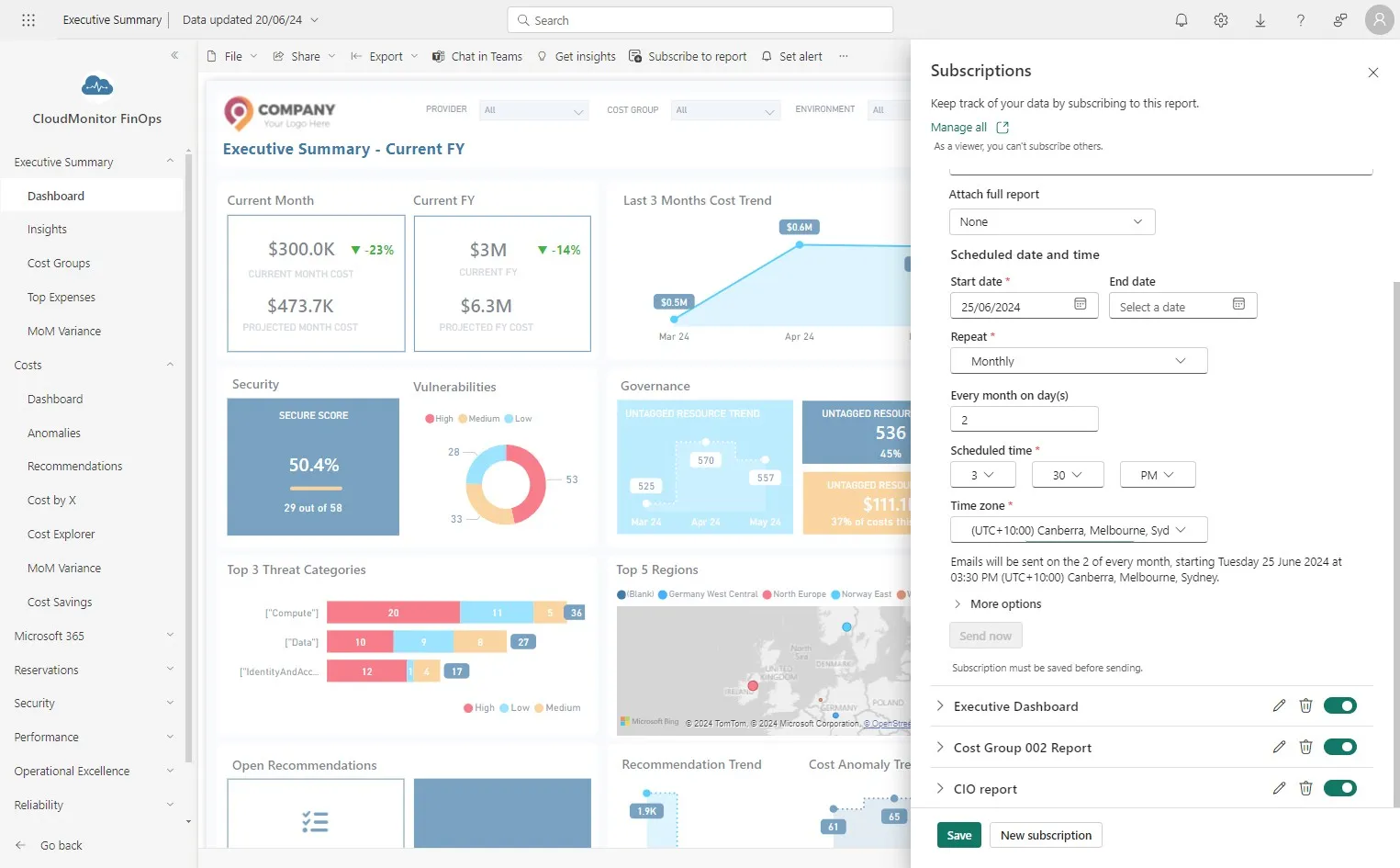
Section titled “Step 1”Open Power BI app and click “Subscribe to report” on “Executive Summary-Dashboard” page
Step 2
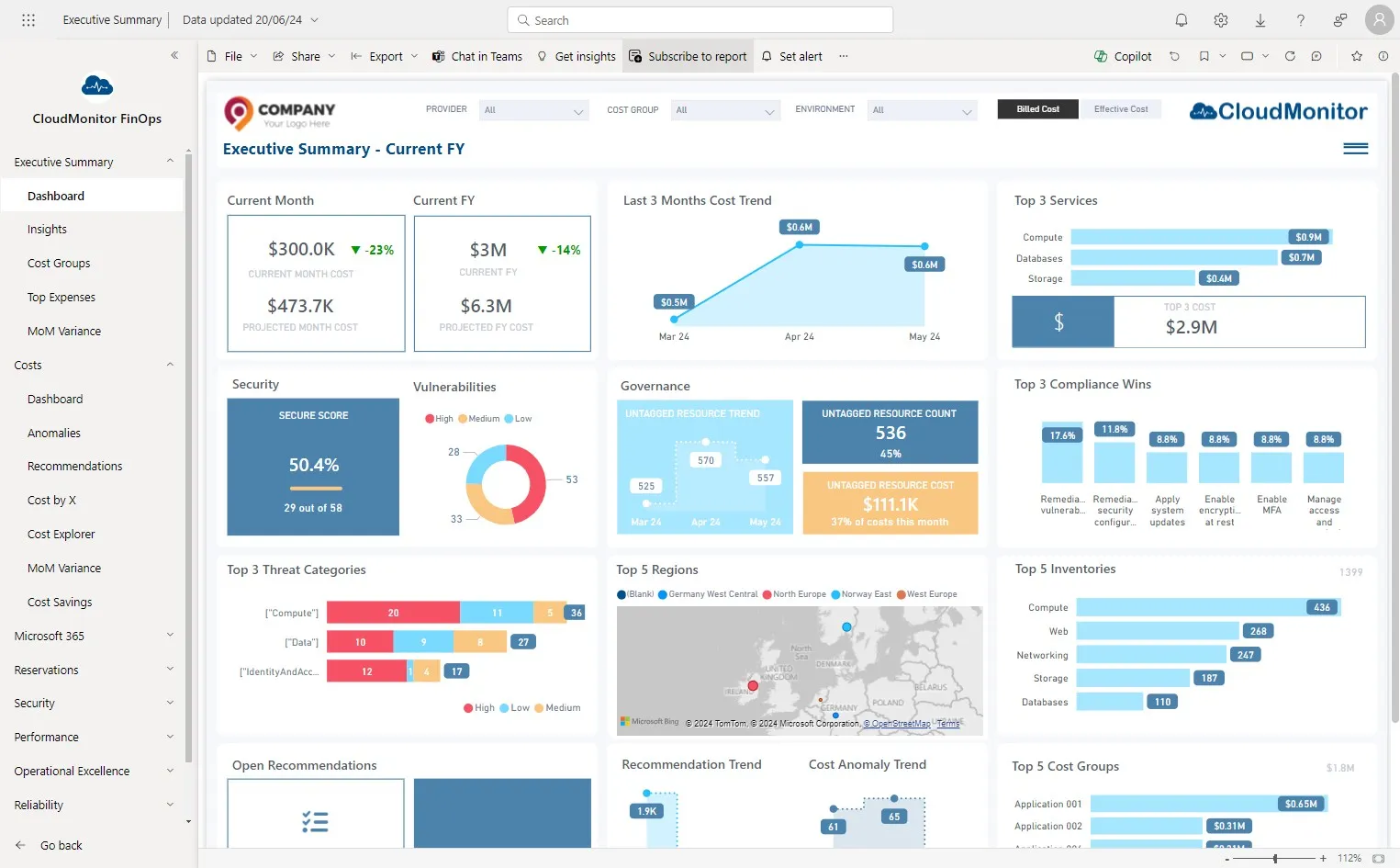
Section titled “Step 2”Click “New subscription”
Step 3
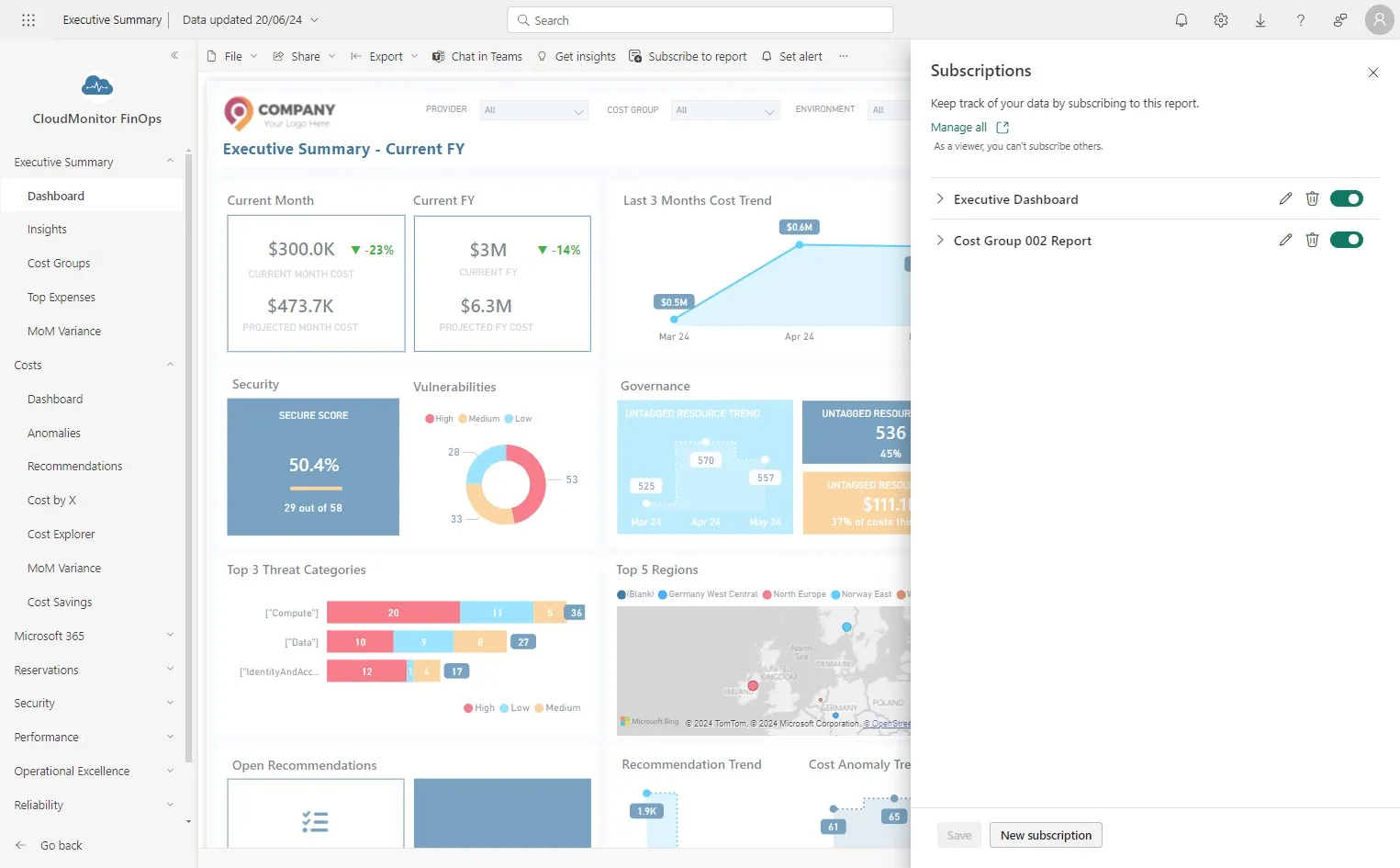
Section titled “Step 3”Enter a name for the scheduled report that you are creating.
Step 4
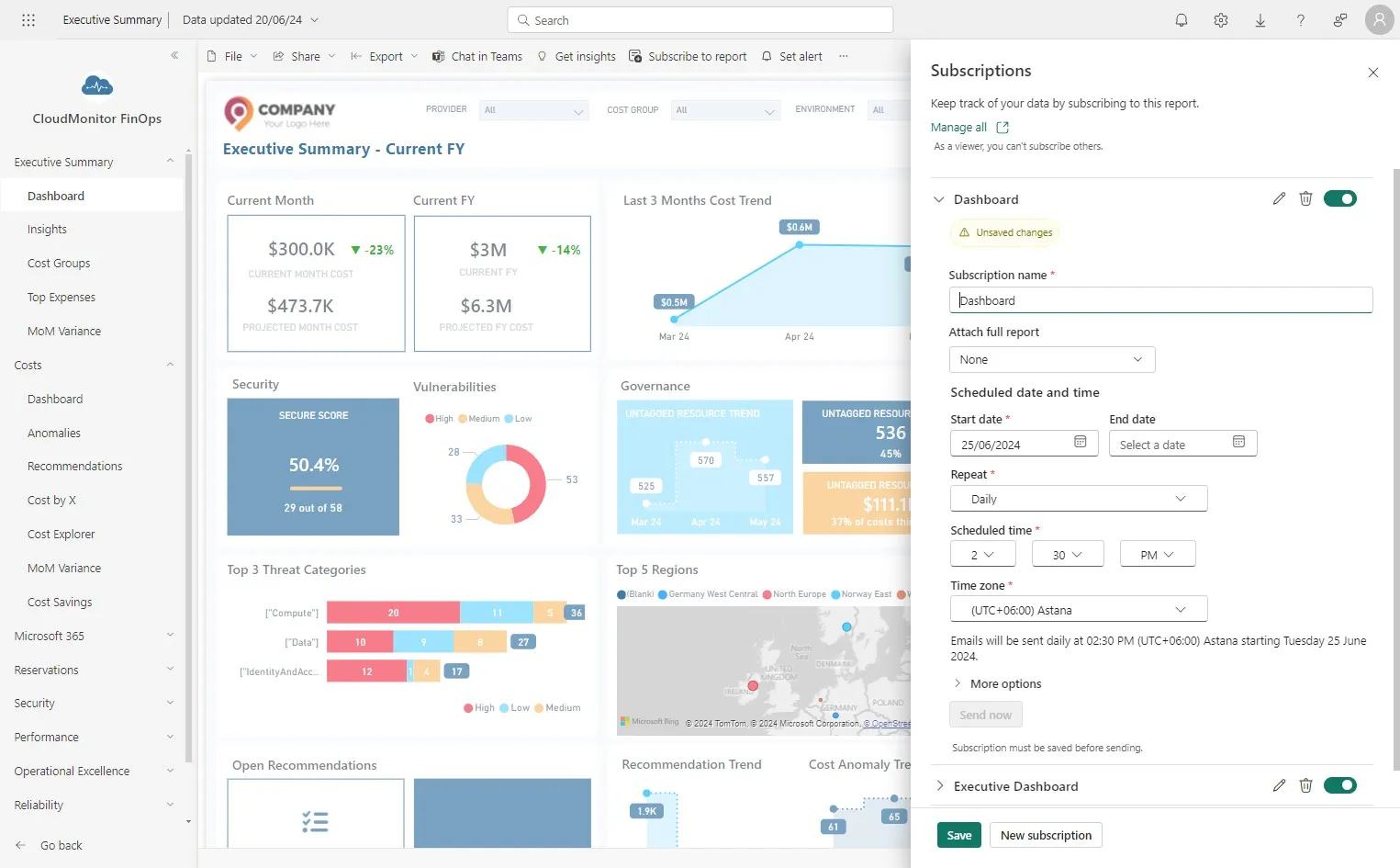
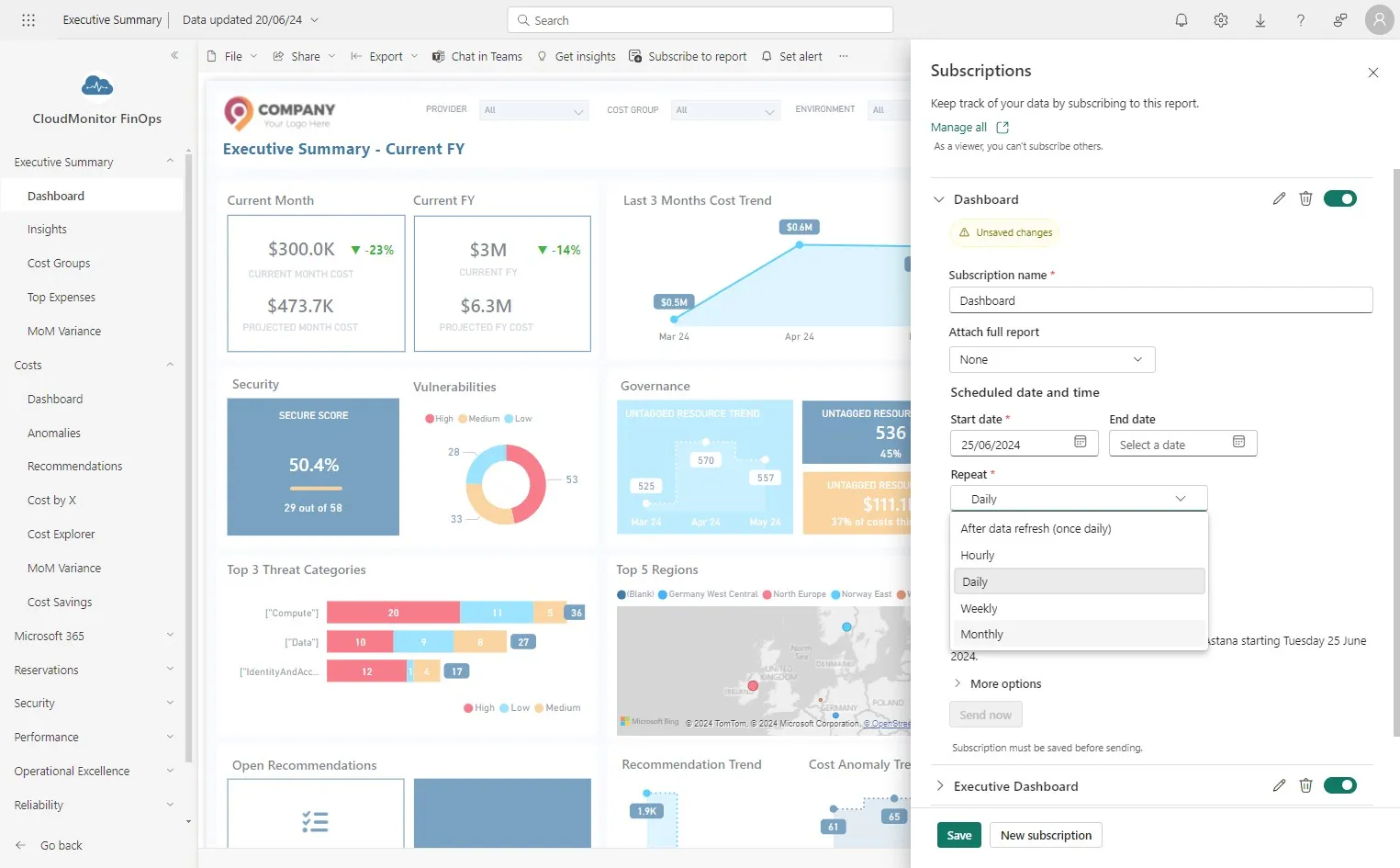
Section titled “Step 4”Select the frequency for sending the email with the report.
Step 5
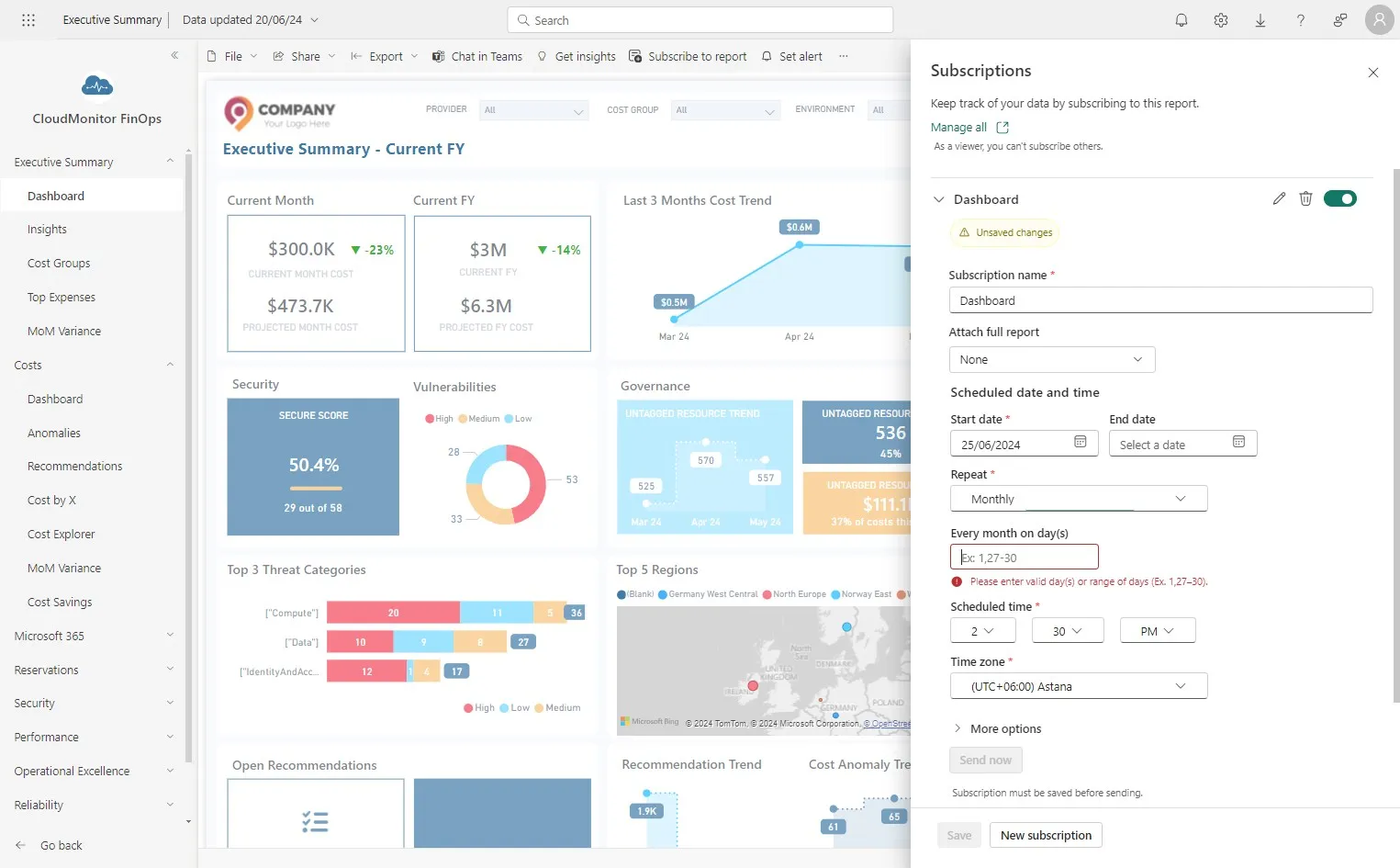
Section titled “Step 5”Select the day of the month on which the scheduled email should be sent.
We recommend early in the new month.
Step 6
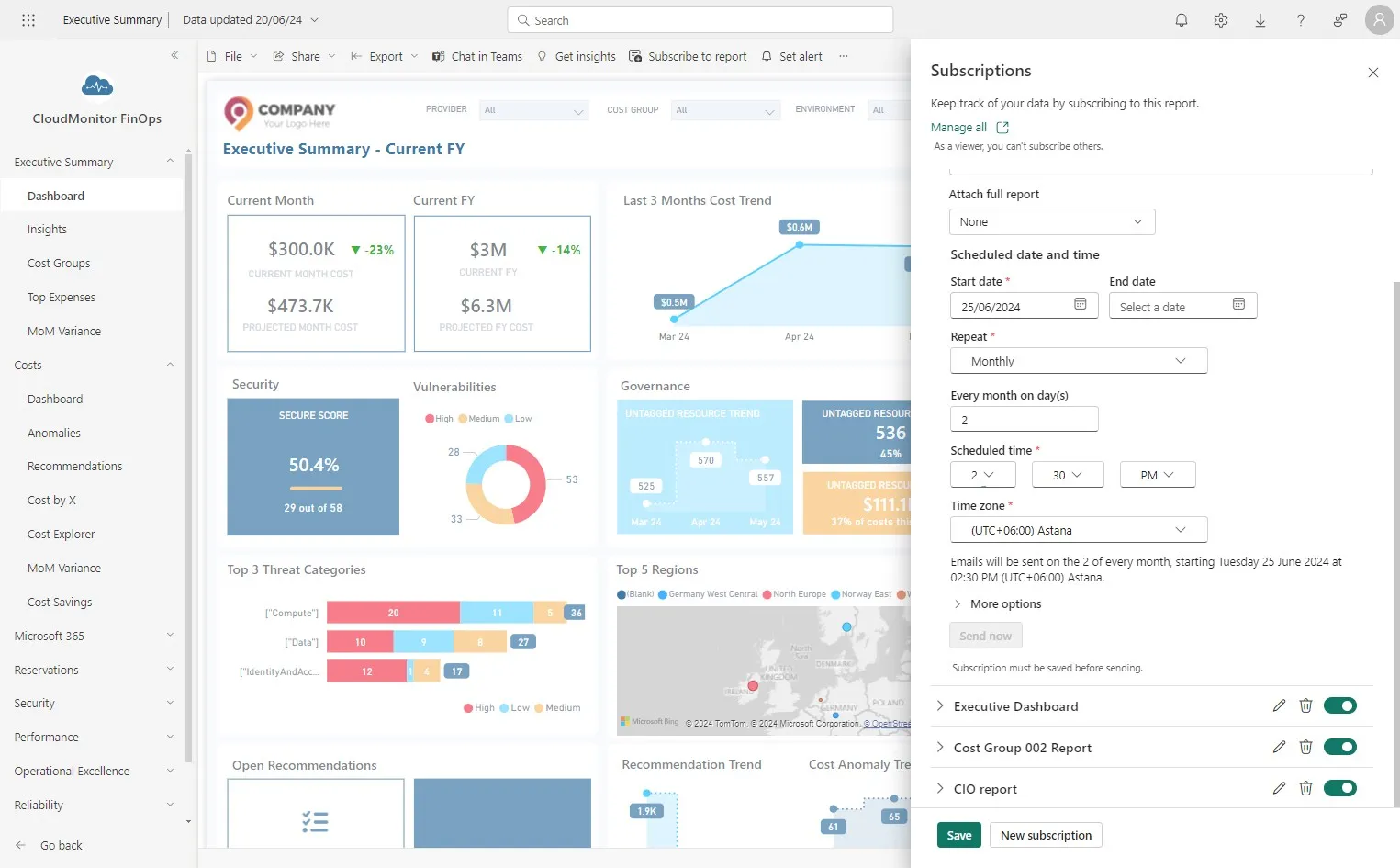
Section titled “Step 6”Select the time which the scheduled email should be sent.
Step 7
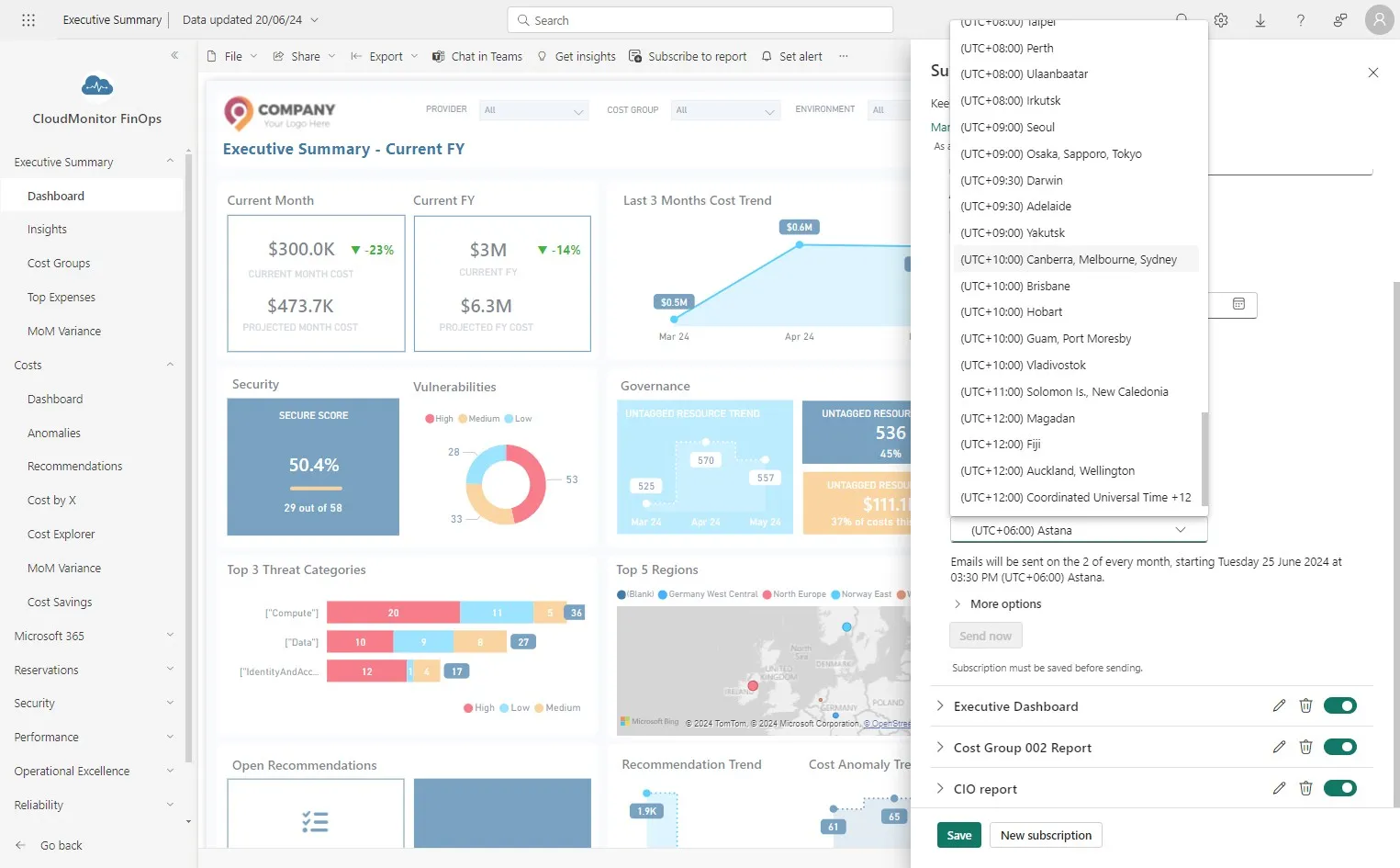
Section titled “Step 7”Select the timezone which the scheduled email should be sent.
Step 8
Section titled “Step 8”You can see the summary of the subscription here
Step 9
Section titled “Step 9”Click “Save”